Add a route and watch what it costs to fly in
A live fare is one number. The same route priced every single day is a trend, and a trend on inbound seats is one of the few demand signals that arrives before your booking pace does. The live call needs nothing registered; the series does — and this is the ten minutes that gets you one.

What you'll build
A route registered on your account with its point of sale set correctly, one live fare pulled without any setup at all, and the stored series behind it: airline, times, stops, baggage and CO2 per flight, extraction after extraction.
How it works
- 01Why register a route if the live call needs nothing
- 02The airports, resolved for free
- 03Create the route
- 04Point of sale is not the route
- 05One live call, no setup
- 06The same route, every day
- 07What this is a leading indicator of, and what it is not
- 08What happens next
Step by step
By the end you will have a route on your account, one live fare on screen, and the stored series that turns that fare into a demand signal for the nights it feeds.
What you need: a Veetal API key and the two airports you care about. The stored series also needs the Flight Rates feed, whose imports consume credits.
What it costs: creating the route is free. The live call consumes credits per request; the stored feed is the cheap read, and the credits go on the imports that fill it.
Why register a route if the live call needs nothing
This is the question worth answering first, because the real-time endpoint genuinely takes two IATA codes and a date and gives you fares — no entity, no setup, nothing to configure.
The entity exists for a different job. A fare on its own tells you almost nothing. Madrid–Barcelona at 180 € is expensive or cheap depending on what it cost yesterday and last week. What moves a revenue decision is the series: the same route, the same point of sale, re-priced day after day. Register the route and Veetal stores each extraction for 15 days; then the feed read is cheap and repeatable, and every live call you were about to loop is a credit you did not spend.
Put another way: Real Time answers "what does it cost now". Feed answers "what has been happening to this route". Only one of the two is a leading indicator.
1. The airports, resolved for free
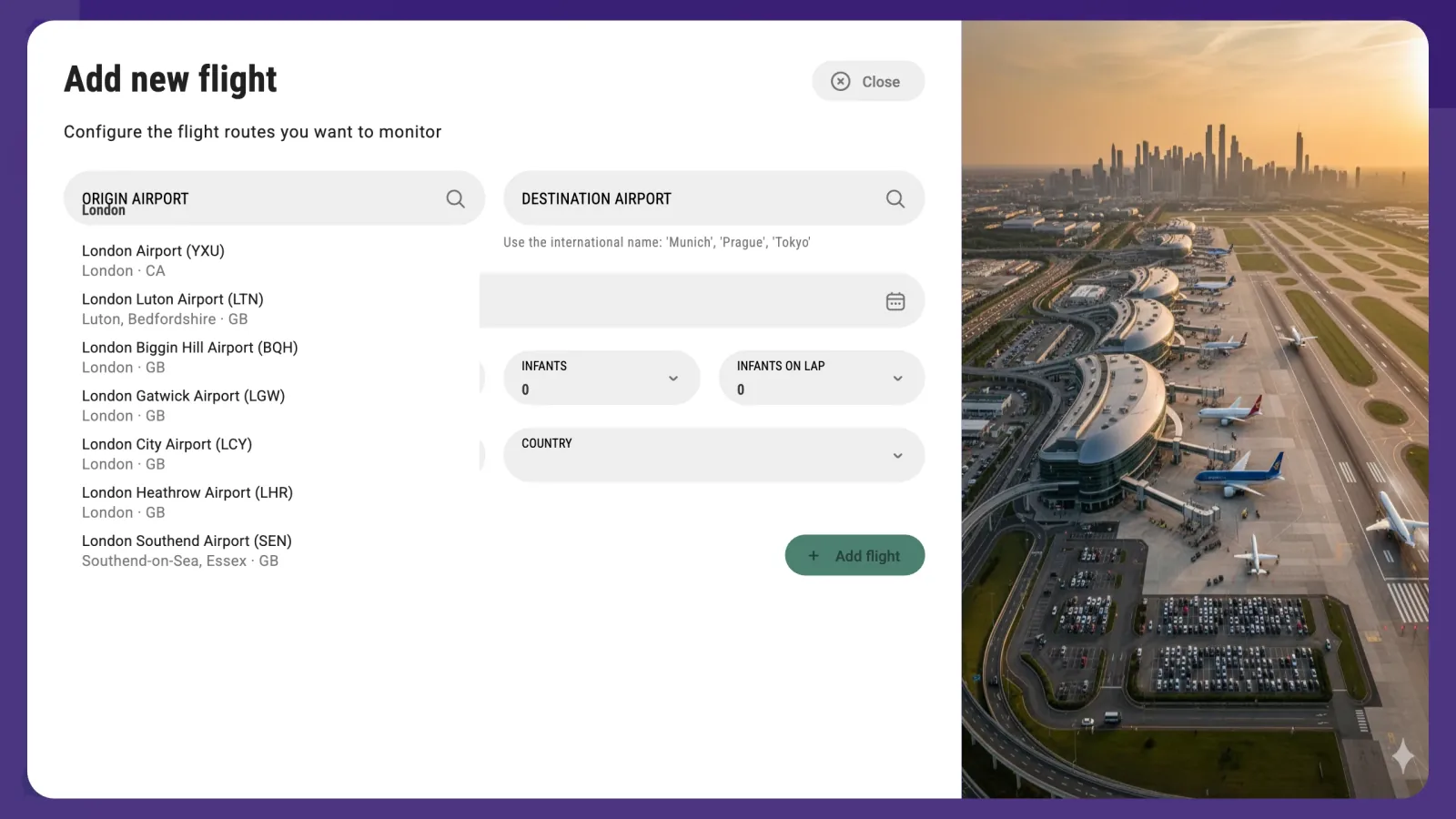
Airports are catalog data, so resolving them costs nothing — the catalog search (type=airports) is free, 0 credits, and the wizard's autocomplete resolves them for you while you type.
Type London and you get seven airports — six around London, UK, and one in London, Ontario (YXU). This matters more than it looks: LGW and LHR are not the same inbound market, and a route built on the wrong one answers correctly about a city your guests are not flying from.
Airports resolve locally, which makes flights the most self-contained of the four entity types — it works even when the OTAs are having a bad day.
2. Create the route
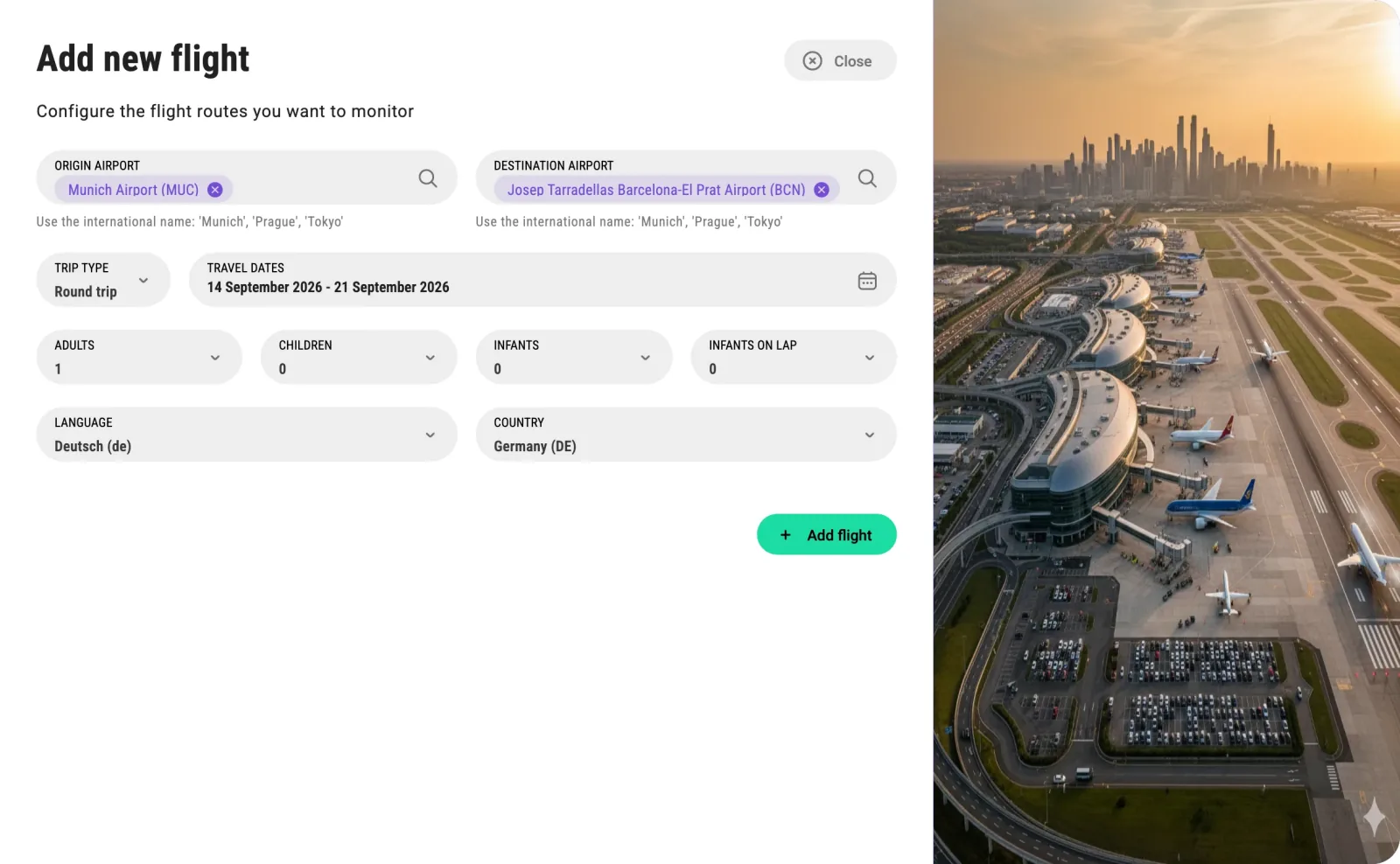
On Flights, Add flights. Type a city and the autocomplete gives you its airports with their IATA codes. Then trip type, dates and passengers.
- Round trip needs a date range.
- One way takes a single date.
Each flight entity is one specific trip: route, dates, passengers and point of sale. Every import prices those same dates again, so the series follows that trip until it departs; to watch a route across several weeks, register one entity per travel date you care about.
3. Point of sale is not the route
Two fields are required and easy to miss: LANGUAGE and COUNTRY.
They are not the origin of the flight. They are the point of sale — the market whose prices you want to see. The same seat on the same plane is priced differently to a browser in Spain and a browser in the United States, and which of those two you are watching is a decision, not a formality. If you are tracking German demand into Barcelona, the point of sale is Germany even though the route is the same one.
Leave one empty and the field turns red with This field is required, and Add flight stays disabled. That disabled button is the single most common "the form is broken" report on this screen.
The same field decides the currency you get back on the live endpoint: location=ES answers in euros, US in dollars, MX in Mexican pesos.
4. One live call, no setup
GET /v3/real-time/flight/rate/airport/{origin}/{destination}/{departure_date}
Add return_date for a round trip, adults, children, infants for the party, location and language for the point of sale, and order_by=price or recommended.
It answers in a few seconds with the flights on offer: airline, times, stops, baggage, CO2 and the segments of each itinerary. Being a Real Time endpoint it is cacheable — the cache window is configurable per API from 0 to 24 hours in the dashboard, and no_cache=true forces a fresh answer that is not stored as part of the parameters.
This call is the right tool for a one-off question: what does it cost to fly in for that congress weekend.
5. The same route, every day
For a series, activate the route on the flight rates Feed API and launch the first import by hand — read the credit estimate before you press, then put it on a schedule so the series keeps filling.
GET /v3/feed/flight/{flight_id}/rates
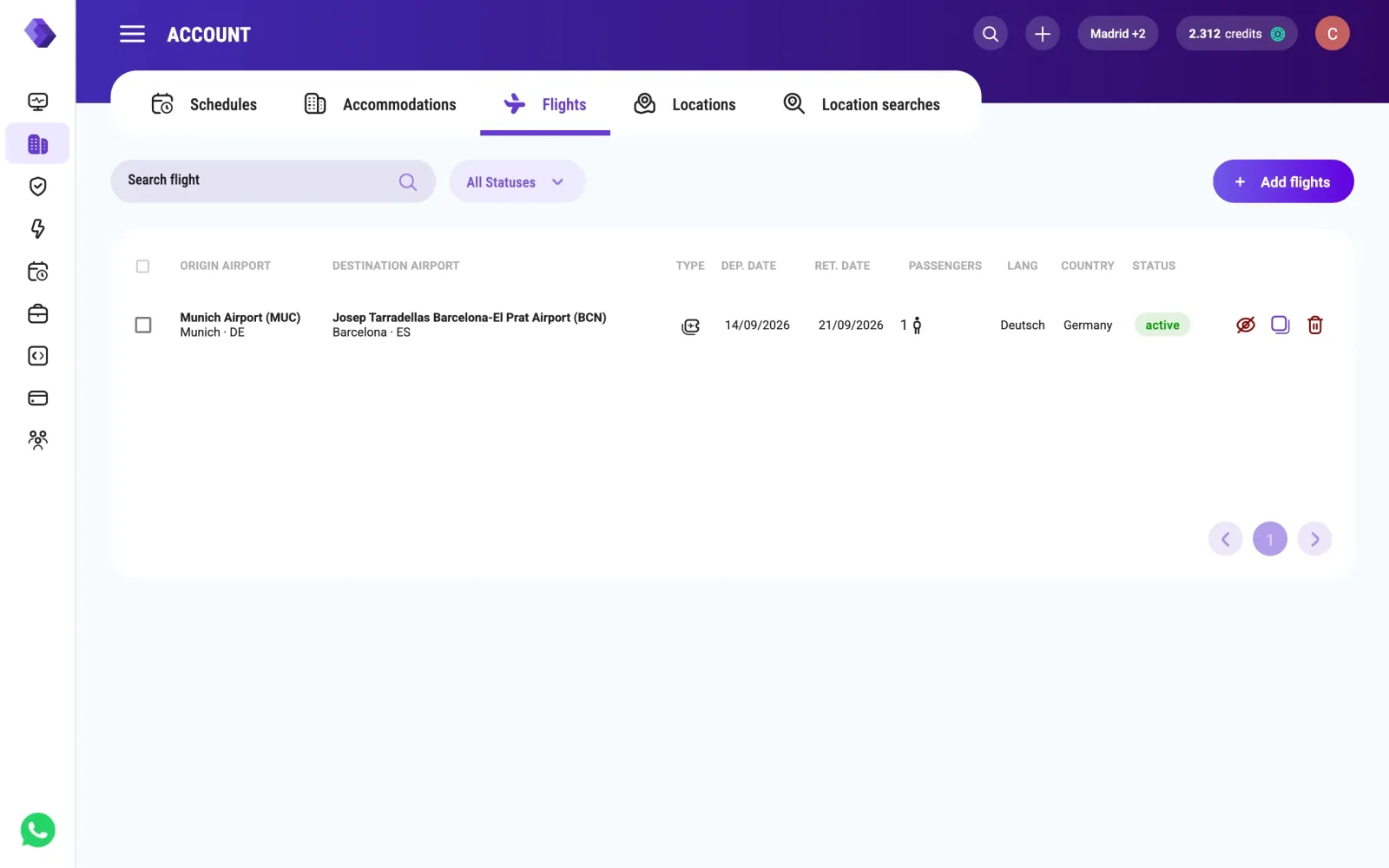
The flight_id is the id of the entity you just created, from GET /v3/account/flight. The shape follows the trip type: under data, a one way returns flights[], a round trip returns outbound_flights[] and return_flights[], each flight carrying its airline, times, stops, baggage and CO2.
Pass import_id or import_date to read one specific extraction. Without them you get the latest — which is what you want on a dashboard. Stored extractions are kept for 15 days, so to build a longer curve save each import's data on your side.
What this is a leading indicator of, and what it is not
It is not a booking count. Nobody sells you the number of people who bought a seat.
What it is: the price and shape of getting there. Fares climbing on a given week, cheap fares disappearing, direct flights selling out until only two-stop itineraries remain — that is the market tightening for those dates, and it happens while your own pace still looks ordinary. Cross it with the event calendar for the same city and you get the two halves of the same story: events tell you why the demand is coming, the route tells you whether it is already being bought.
What happens next
Register the two or three routes that actually feed your city — your main source markets, not every airport in the world — and pair the series with the events feed. The Flight-Demand Forecast recipe does exactly that with the data this setup produces.
Questions
Do I have to register a route to get a live fare?
No. GET /v3/real-time/flight/rate/airport/{origin}/{destination}/{departure_date} takes two IATA codes and a date; everything else is optional. You register the route when you want that same trip priced again on every import — the series, not the snapshot.
What are LANGUAGE and COUNTRY for?
They are the point of sale: the market whose prices you are watching, not the origin of the flight. They are also what decides the currency of a live answer — ES gives you euros, US dollars, MX Mexican pesos.
Why is the Add flight button disabled?
Because one of the required fields is empty, and it is almost always LANGUAGE or COUNTRY. The field turns red with "This field is required" and the button stays off until both are set.
How do I read a round trip?
The feed splits it: inside data you get outbound_flights and return_flights instead of the single flights list of a one way. The dashboard form asks for a date range for a round trip and a single date for a one way.
Can I read a specific extraction instead of the latest one?
Yes — pass import_id or import_date to the feed endpoint. Without them you get the most recent import with data. Stored flight rates are kept for 15 days, so a longer historical curve has to be saved on your side after each import.
How fresh is a live fare?
It is fetched at that moment, in a few seconds. Real Time endpoints can be cached from 0 to 24 hours, configurable per API in the dashboard, and no_cache=true forces a fresh fetch when you need to be sure.
Build your own
Start free with 1,000 API credits. No credit card, no sales call.
What do you want to build with flight rates?
Say it in one line and we hand you back the prompt, the recipe if one already exists, and the APIs it runs on — starting with flight rates.
