Control what you spend in credits
Credits are the money of the product, and most of the surprise in a bill comes from two columns and one dialog nobody opens. Here is where the numbers are, how the multiplication works, and how to estimate before you spend instead of after.
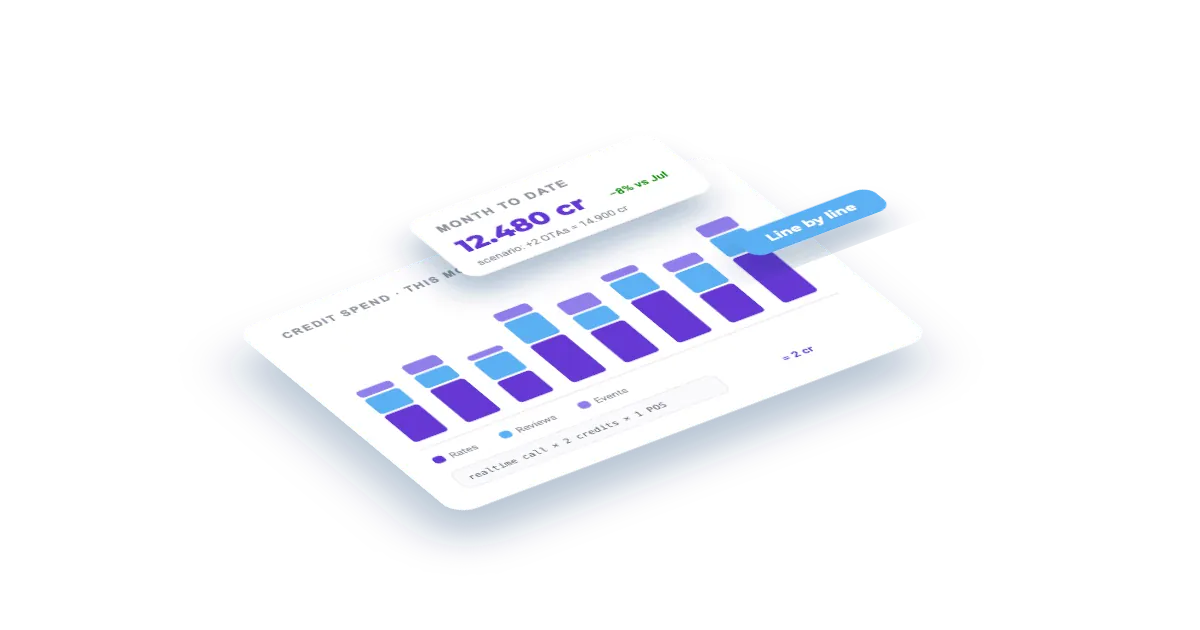
What you'll build
A read of your billing period you can defend: the feed/realtime/account split, who triggered each run, which answers came from cache, the exact arithmetic behind any charge, and the three estimators that price a scenario before you commit.
How it works
- 01The chip, then the screen
- 02Read the table before you conclude anything
- 03Why did *that* cost that? — the calculation
- 04Before you spend: estimate, don't guess
- 05Getting it out of the dashboard
- 06What happens next
Step by step
By the end you will be able to answer three questions with numbers off the screen instead of guesses: what have I spent, why did that particular line cost what it cost, and what would it cost me to do X.
What you need: nothing. Everything here is free to read, and the simulator is free to run.
The chip, then the screen
The credits chip in the header is the glance version — consumed this period, and a warning if you have gone over. Clicking it takes you to Billing · Usage, which is where the real answer lives.
Start with the summary bar, because it splits the total the way the product actually charges:

Feed, Realtime and Account credits are three different economics. Feed is charged per import execution — per entity, per day of visibility. Realtime is charged per request. Account is nearly free and only appears because some endpoints have a price. On a standard plan the bar shows Credits Usage against your allowance and, once you go over, Exceeded credits with their on-demand euros in brackets; Cost /1K credits is your plan's effective price (plan fee ÷ included credits), not the overage rate. On Enterprise it shows Total credits, Cost is your on-demand price per 1,000 credits, and Total is the euros.
The Period selector matters more than it looks: it is the billing period, and it carries the plan that was in force then. Don't answer "how much did we spend" from the current period if the question was about last month.
Read the table before you conclude anything
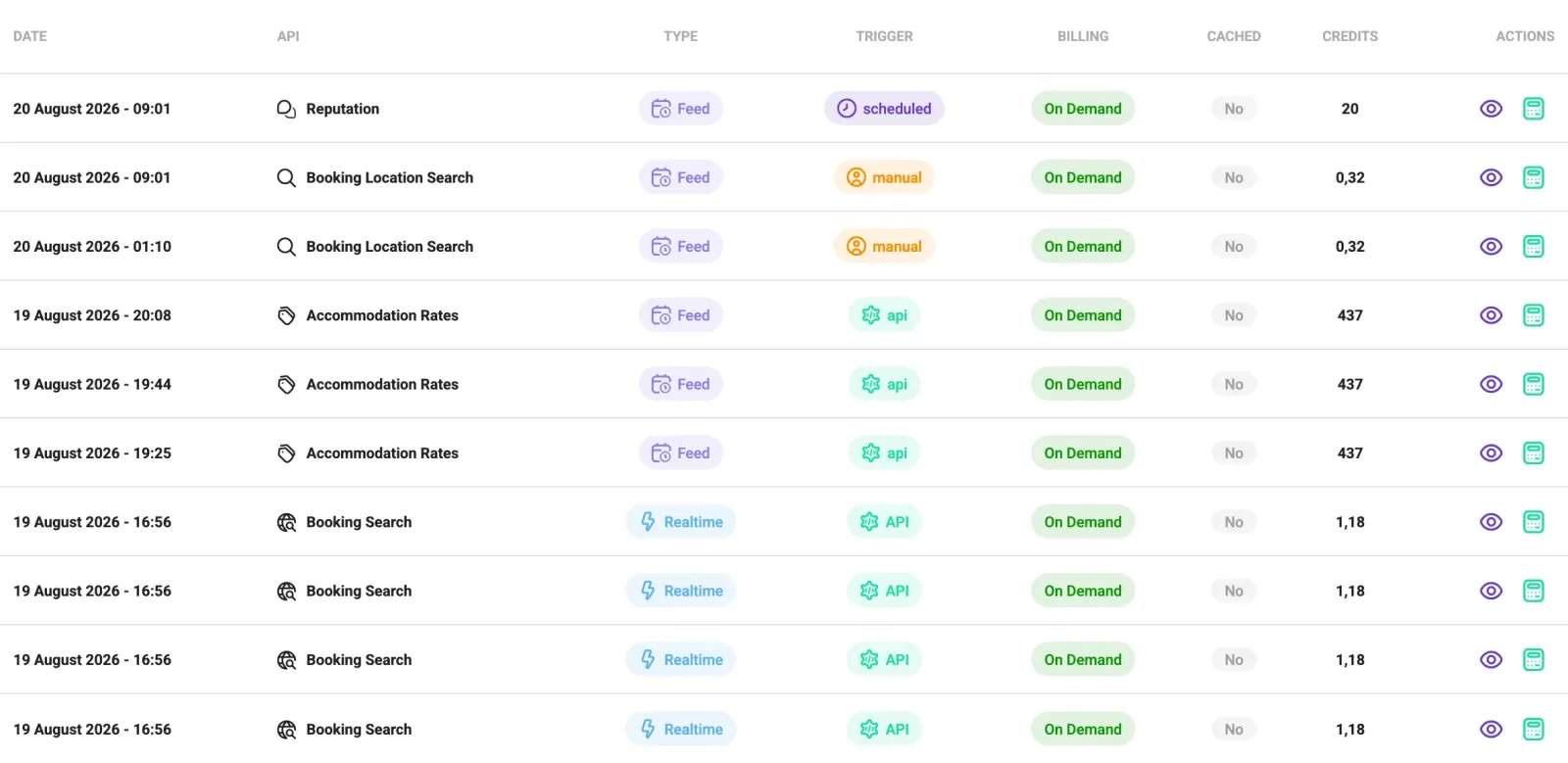
Two columns do most of the explaining:
- TRIGGER — who started it.
scheduledis your own automation,manualis somebody pressing the button in the dashboard,apiis your integration calling in,recoveryis one of your schedules that was missed during a Veetal outage and launched late. When a bill surprises you, this column usually names the culprit. - CACHED — whether a real-time answer came from cache. A cached response costs 0 credits, and it is the first explanation for "why was this one free?". Feed imports are never cached.
In the table above, ten lines of October 2026 at a glance: daily Accommodation Rates runs at 0.72 credits and Booking Location Search runs at 0.32, both scheduled; one Reputation import at 40 and one Accommodation Rates run at 3.22, both launched by hand (manual); and two Booking Search real-time calls at 1.18, triggered by api. The two manual runs cost more than the whole week of schedules — which is usually the first thing this table tells you.
Why did that cost that? — the calculation
The eye icon in ACTIONS opens Usage details: the execution ID, the trigger, the entities it processed and the parameters that drive the price (visibility days, competitors, Genius). Those are the factors of the multiplication.
A daily Feed run is billed as 1/30.5 of the API's monthly unit price, times the units it covered:
1/30.5 (one daily run) × units × credits per unit
For most feeds, units = entities × visibility days. Two examples at current prices:
- Booking Location Search: 1 search × 1 day × 9.84 credits/unit ÷ 30.5 = 0.32 credits — the 0.32 lines in the table above.
- Accommodation Rates: every hotel in the comp set counts like your own, at 2.1858 credits per hotel-day. The 0.72 lines are one hotel with nine competitors for one day: 10 hotel-days × 2.1858 ÷ 30.5 = 0.72 credits.
Reputation and reviews count listings instead: each hotel (yours and its competitors) on each OTA. Either way the levers are the same — fewer entities or comp-set hotels, or a shorter visibility window.
Before you spend: estimate, don't guess
Two estimators run before the money moves:
- The import dialog. Every Feed import shows an Estimated cost with the entities and parameters you picked. Change the visibility days and watch it move.
- The schedule estimator. When you create or edit a schedule it shows an Estimated monthly cost in credits per month for the frequency and weekdays you chose. That is the number that decides whether a daily schedule is sane.
And for the bigger question — "what would it cost us to cover 40 hotels and 3 cities?" — there is Simulations: you build the scenario, add the APIs with their parameters, and read the totals. It spends nothing. It is the right tool for sizing a plan or answering a customer, and it beats arithmetic on a napkin.
Getting it out of the dashboard
Export gives you the period as XLSX, one row per day with that day's total requests and total credits — enough to reconcile day by day; for line-level detail use the table itself. Billing data holds the invoicing details, and Invoices has the issued invoices with their PDFs.
One thing the API does not do today: there is no public endpoint that returns your consumption. GET /v3/account/customer-info gives you the plan, the concurrency limits, the authorised IPs, the webhook and your schedules — useful for knowing your ceilings — but the credit figures live in the dashboard and in the XLSX export.
What happens next
If the pattern you find is "we are consistently over", Plans is where you change tier — monthly or annual, with the annual discount — and a pending downgrade can be cancelled from the same screen until it takes effect. If the pattern is "one API is eating everything", the per-API Usage tab on that API's page shows the same table filtered, which is usually a faster way to find the offending schedule.
Questions
Why did this request cost me nothing?
Look at the CACHED column. A real-time response served from cache costs 0 credits. The second place to look is TRIGGER: a run you didn't start yourself may be a schedule, or a recovery — a missed scheduled run launched late.
What exactly is a credit?
A unit of work, priced differently per API. Realtime endpoints charge per request. Feed imports charge per entity and per day of visibility, times a credits-per-unit figure that belongs to that API. The Usage details dialog (eye icon) shows the entities and parameters behind any line, which are the factors of that multiplication.
Why is one import 40 credits and another 0.32?
Because the formula multiplies. The 0.32 one was a single Booking location search for one day of visibility at 9.84 credits per unit, divided by 30.5 because it is one daily run. The 40 one was a Reputation import, which counts every hotel and each of its competitors on every OTA. Accommodation Rates sits in between: one hotel with nine competitors for one day is 10 hotel-days × 2.1858 ÷ 30.5 = 0.72 credits. Entity count and visibility window are the levers, and the import dialog shows the estimate before you launch.
How do I find out what something will cost before running it?
Three places, in order of size: the Estimated cost in the import dialog, the Estimated monthly cost in the schedule form, and the Simulations tab for a whole scenario. All three are free.
Can I pull my consumption over the API?
Not today. There is no public usage endpoint. GET /v3/account/customer-info returns your plan, concurrency limits, authorised IPs, webhook and schedules, but not credits consumed. For consumption, use the dashboard or the XLSX export.
The credits chip says I have exceeded my plan. What happens?
Consumption above your plan is billed on demand at your on-demand price per credit. The summary bar shows the exceeded credits and, in brackets, the euros they add; each line's Cost column shows its share. The Plans tab is where you change tier if that becomes the norm rather than the exception.
Build your own
Start free with 1,000 API credits. No credit card, no sales call.
What do you want to build?
Say it in one line and we hand you back the prompt for our MCP, the recipe that already builds it, and the APIs it runs on.
