Register the four entity types on your account
The endpoints don't take free text: they take your identifiers. Before you can ask Veetal anything you have to tell it what to watch — a hotel, a destination, a filtered market, a route. Four wizards, one of each, and the traps each one hides.
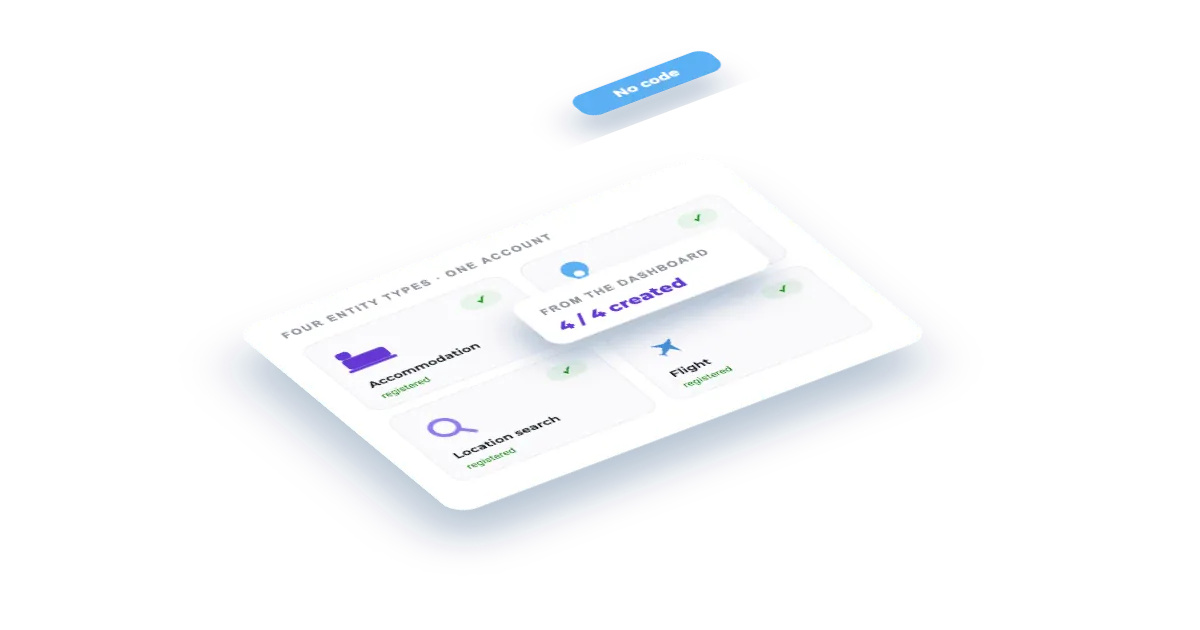
What you'll build
One accommodation with its OTA profiles resolved, one location, one location search with the filters that define your competitive set, and one flight route — plus the account endpoints that do the same thing from code.
How it works
- 01What an entity is, and why there are four
- 02Accommodation — the hotel
- 03Location — the destination
- 04Location search — the destination, filtered
- 05Flight — the route
- 06The same thing over the API
- 07What happens next
Step by step
By the end you will have one of each of the four entity types on your account — an accommodation, a location, a location search and a flight — which is what every Feed and Real Time endpoint asks you to point at.
What you need: a Veetal API key. Nothing else — the account endpoints are free and open to every key.
What it costs: nothing in the dashboard. Creating entities is free, and so are the Booking resolution and the OTA profile search the wizards run while you create them — you only pay when you ask for data about them. Over the API two of those lookups are requests of their own; the API section at the end says which.
What an entity is, and why there are four
An entity is a thing you have told Veetal to watch. The endpoints don't take free text: they take your identifiers. Which type you need depends on the question:
| Type | Answers | Used by |
|---|---|---|
| Accommodation | one hotel: its rates, availability, reputation, reviews, parity | most Real Time endpoints and the accommodation Feed datasets |
| Location | a destination as a whole: what is happening there | the events and holidays feeds |
| Location search | a destination filtered into a competitive set: who is on sale and at what price | the Booking location search feed, market demand and the real-time location search |
| Flight | a route: what it costs to fly in | the flight rates feed (real-time flight rates take the airports directly) |
All four live under My organization, each on its own tab, and all four can also be created from the + button in the header. If you open the wizard from an API page instead, it adds a final step to put the new entity straight onto that API's schedules.
1. Accommodation — the hotel
On the Accommodations tab, Add accommodations. The wizard opens on three routes:
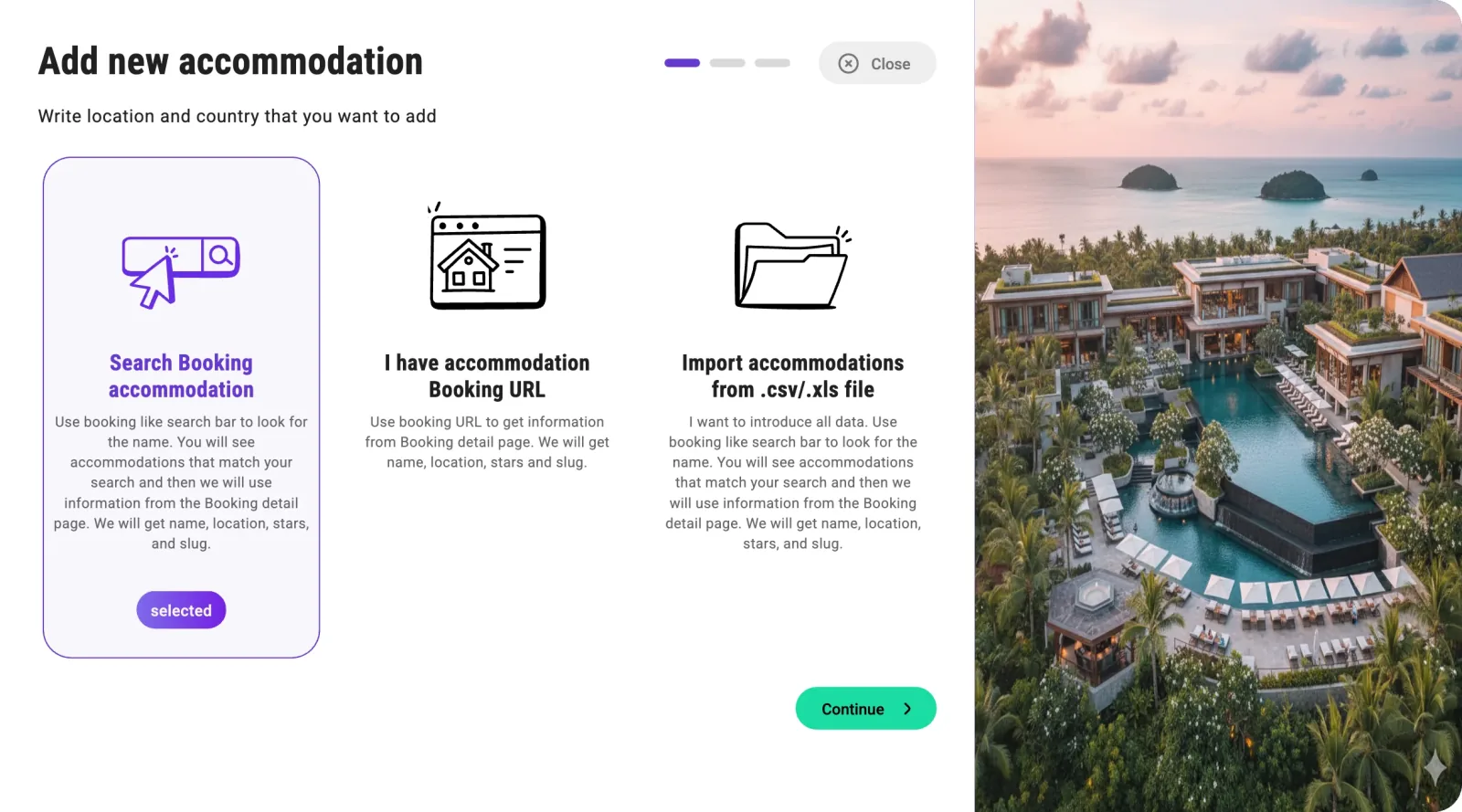
Search Booking accommodation is the usual one. I have accommodation Booking URL is for when the search is ambiguous and you already have the listing open. Import accommodations from .csv/.xls file is the bulk route.
Search by name. The results carry the hotel's photo and city, and the ones already on your account are greyed out and marked It's yours — which saves you the duplicate:
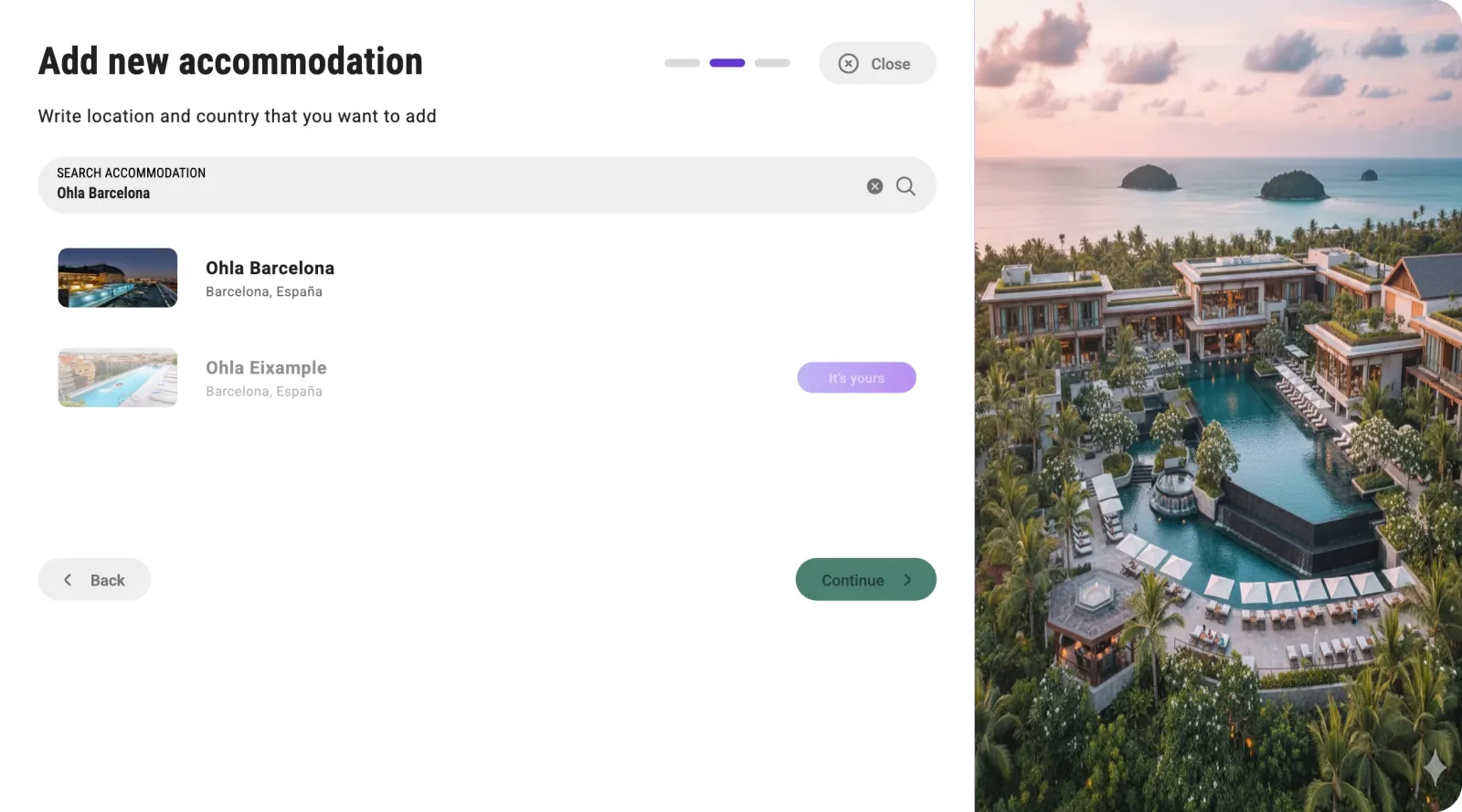
If nothing matches, use fewer words: the search matches Booking approximately, not your exact string.
Pick one and Continue. Veetal now resolves the listing for real and shows you what it found — stars, guest score, review count, address — plus Profiles Found: which OTAs this hotel actually has a listing on.
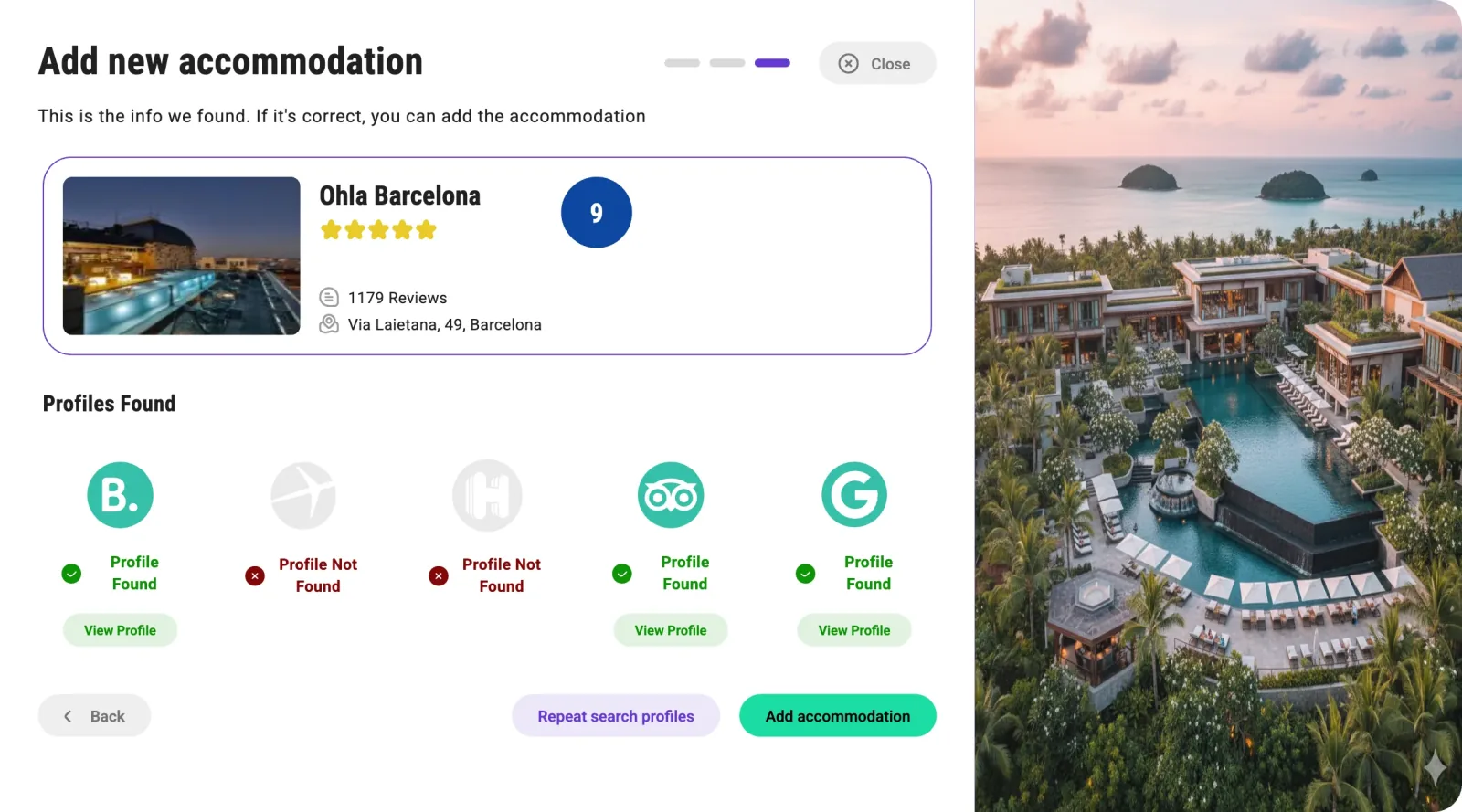
In this example Booking, Tripadvisor and Google were found; Expedia and Hotels.com were not. That matters later: an OTA with no profile has nothing to import, and the reputation feed will only return the ones with a green tick. Repeat search profiles runs the detection again if you think it missed one, and View Profile opens the listing it matched so you can check it is the right property.
Add accommodation, and the hotel joins the list on the Accommodations tab. Its SETUP column is that same profile map, one badge per OTA — here on other hotels of the account:
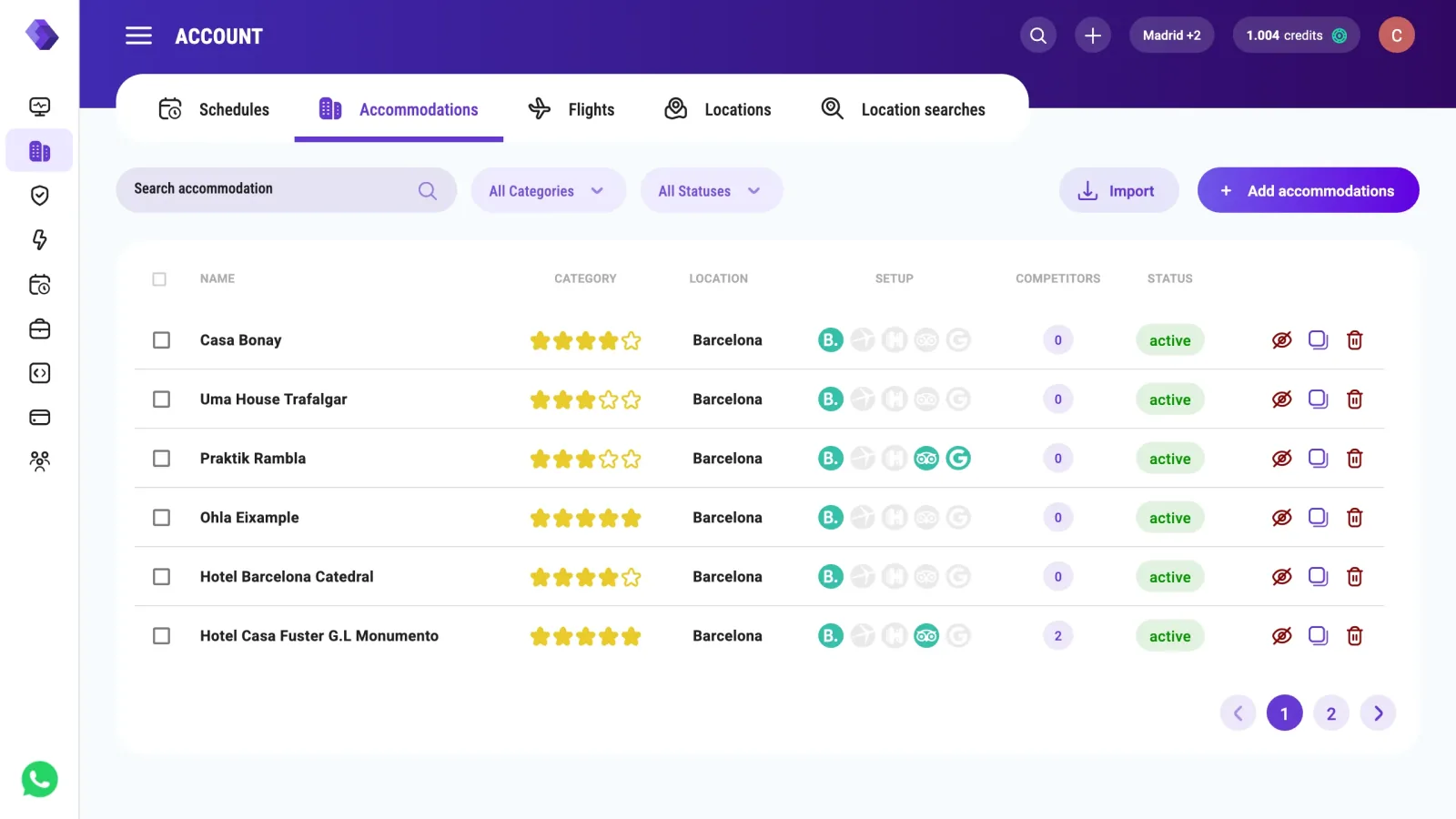
One thing worth knowing: the slug Veetal assigns comes from the Booking URL, not from the display name. "Ohla Barcelona" became ohla. The slug is what every endpoint takes, so copy it from the row rather than guessing it.
2. Location — the destination
The Locations tab, Add locations. The dialog says what it is for: "You will use them to search events in the destination".
Search the destination and you get why this step exists at all:
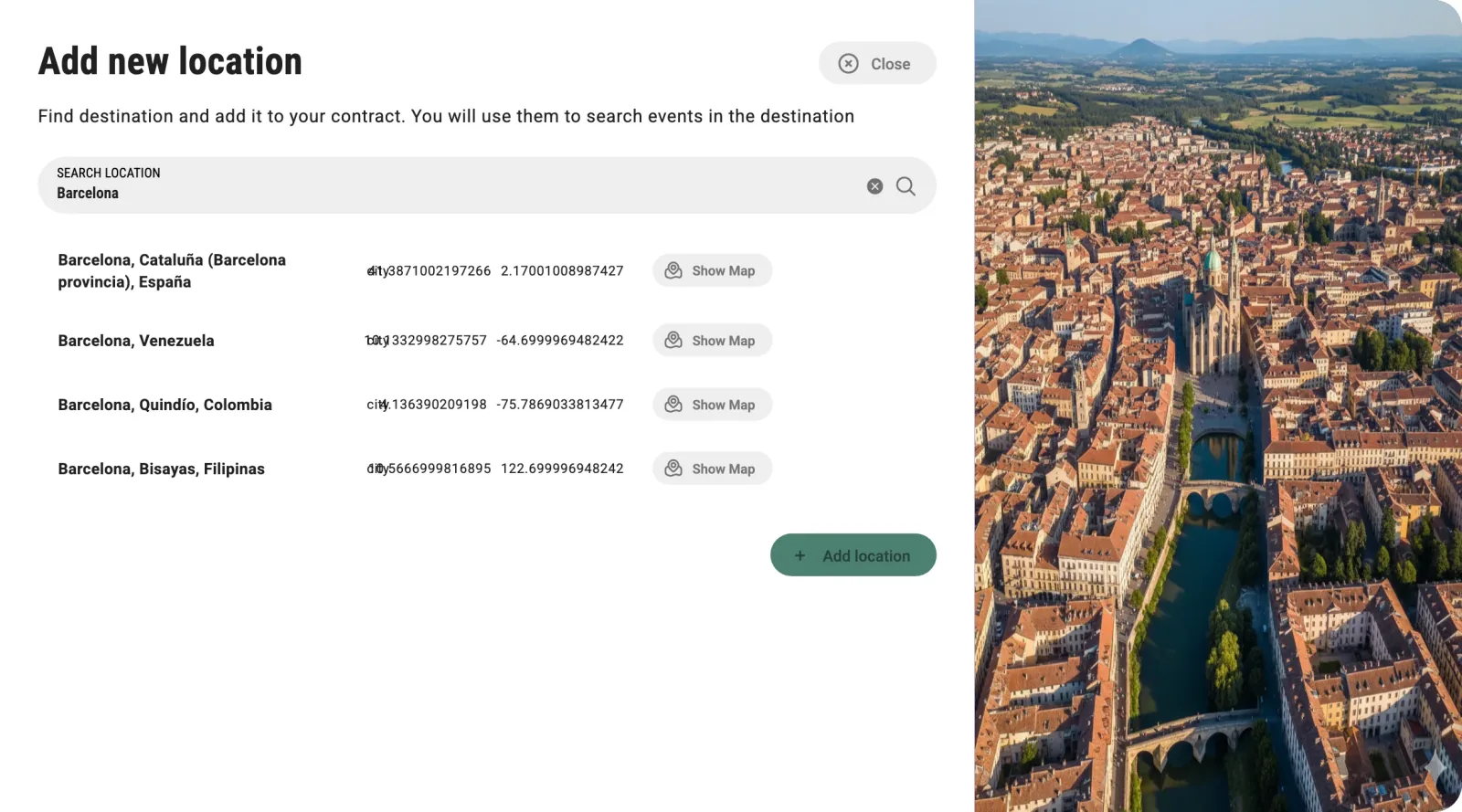
Four Barcelonas — Spain, Venezuela, Colombia, the Philippines — each with its own coordinates and a Show Map to check. Pick the wrong one and every event you read afterwards is for the wrong city.
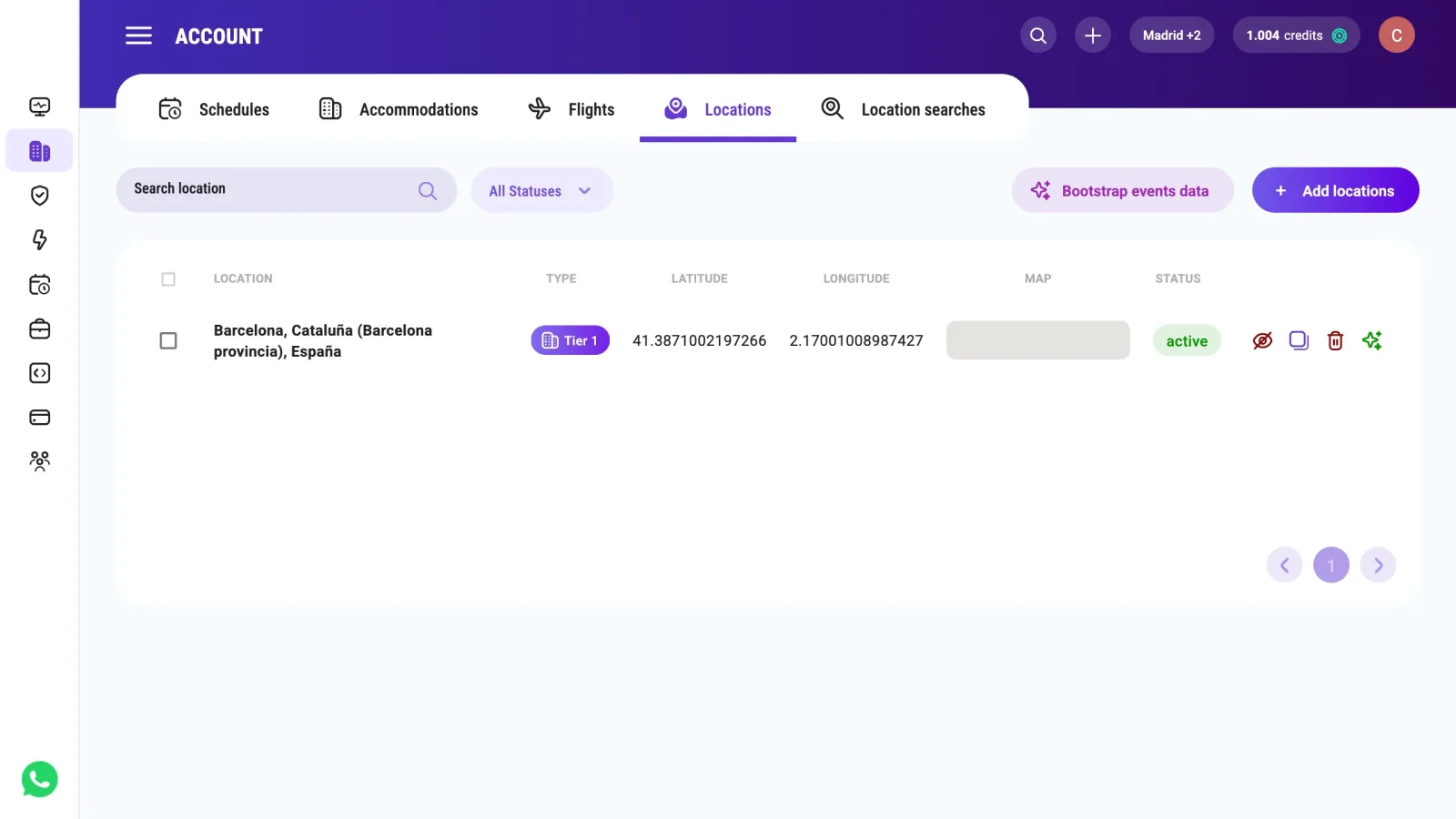
Add location and the row lands with its type — Tier 1 here — and its coordinates:
3. Location search — the destination, filtered
The Location searches tab, Add location searches. The finder is richer than the location one: as well as the city it offers districts, the airport, the province and landmarks like the Fira, because a "market" can be any of those.
Step two is the point of this entity — the filters:
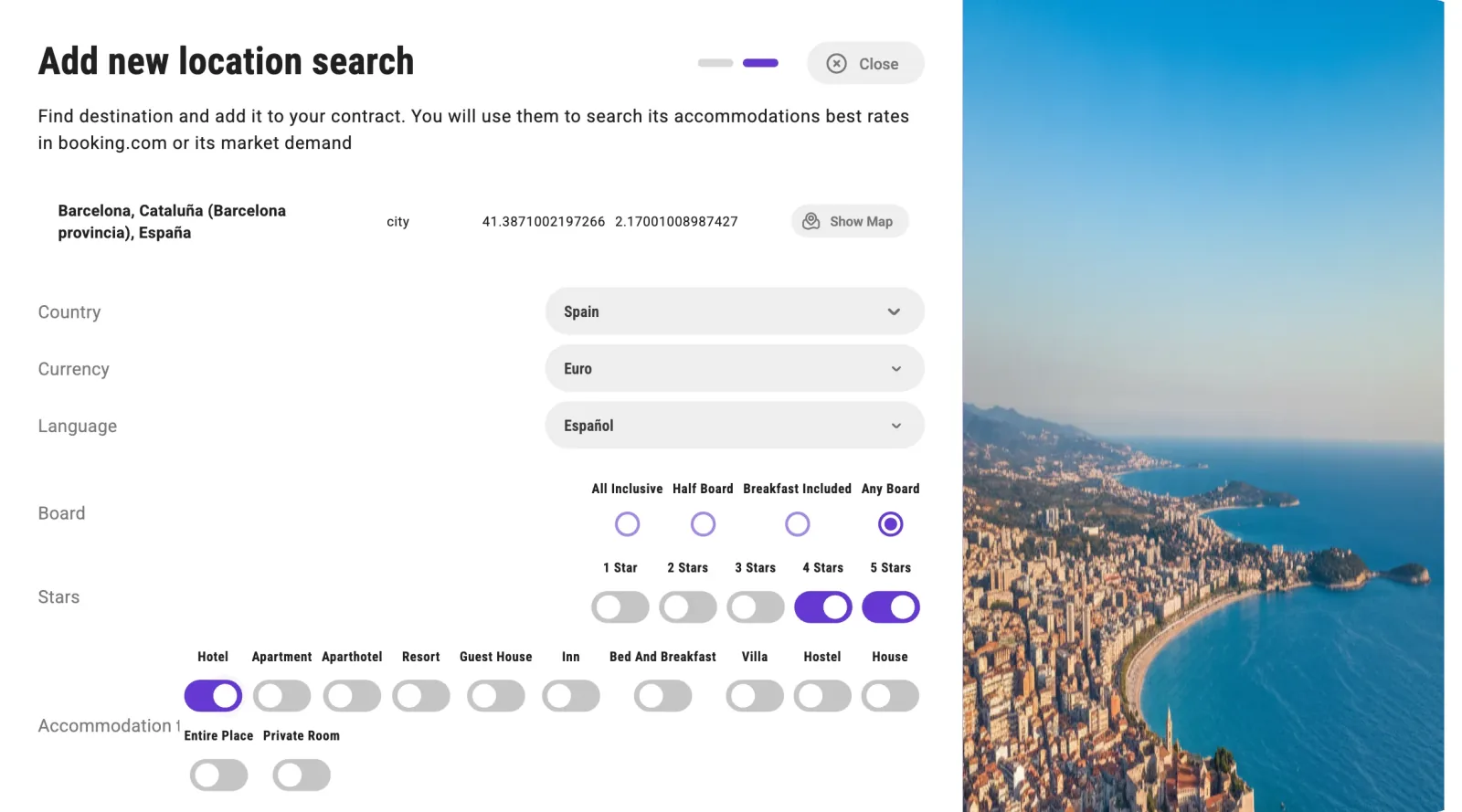
Country, currency and language (they change the prices Booking shows), board, stars, property type, and further down distance from centre, minimum score, free cancellation, pet friendly, nights, adults, children, babies and rooms.
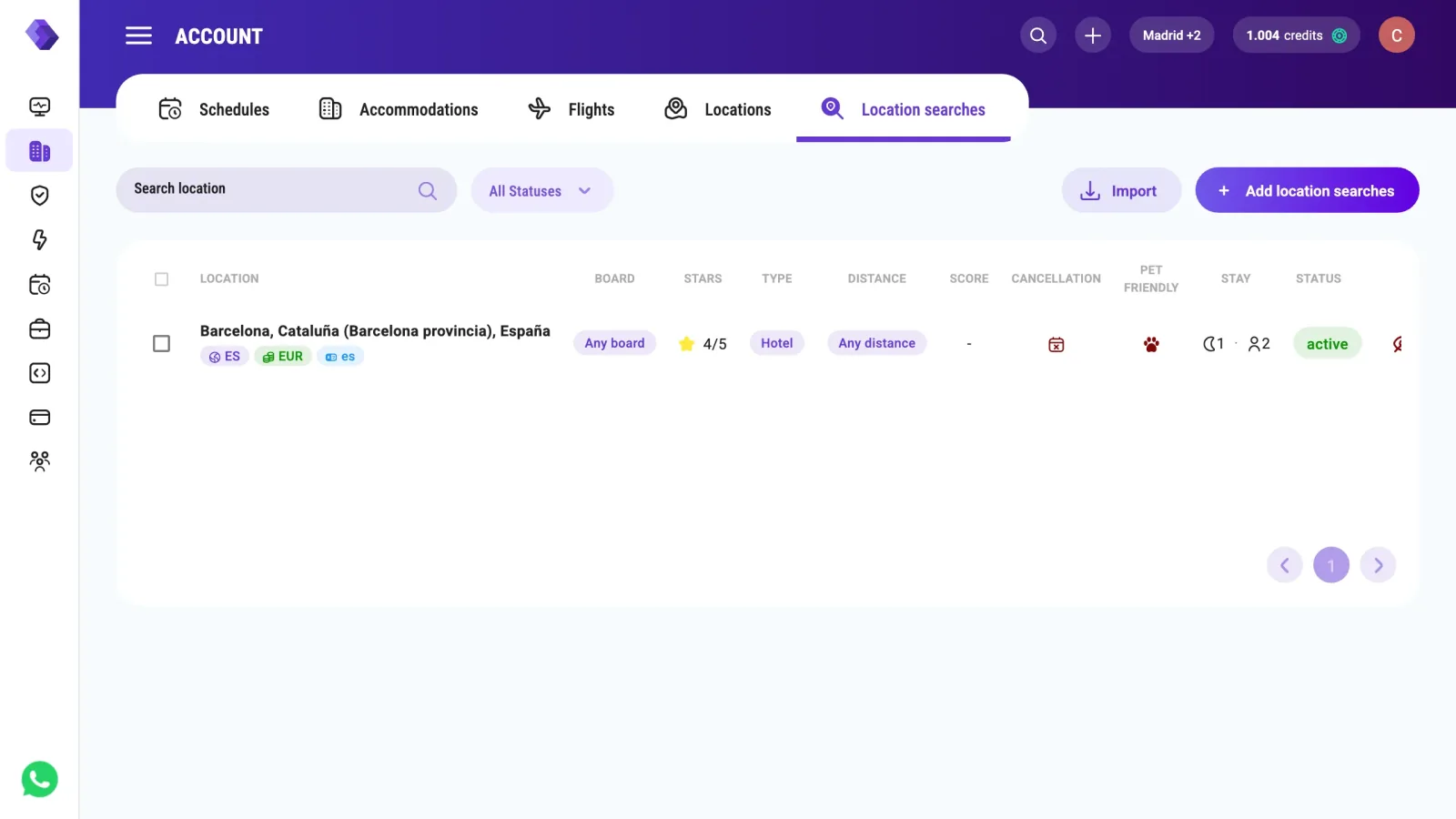
These filters are the entity. They define which hotels the search covers — your competitive universe. They do not change the price: a run of the feed is billed per location search and per night, however many hotels the filters let in. The example here is 4 and 5 star hotels in Barcelona, one night, two adults. Add location search, and the row shows the filters back as chips:
4. Flight — the route
The Flights tab, Add flights. This is the most self-contained of the four: airports are resolved locally, so it works even when the OTAs don't.
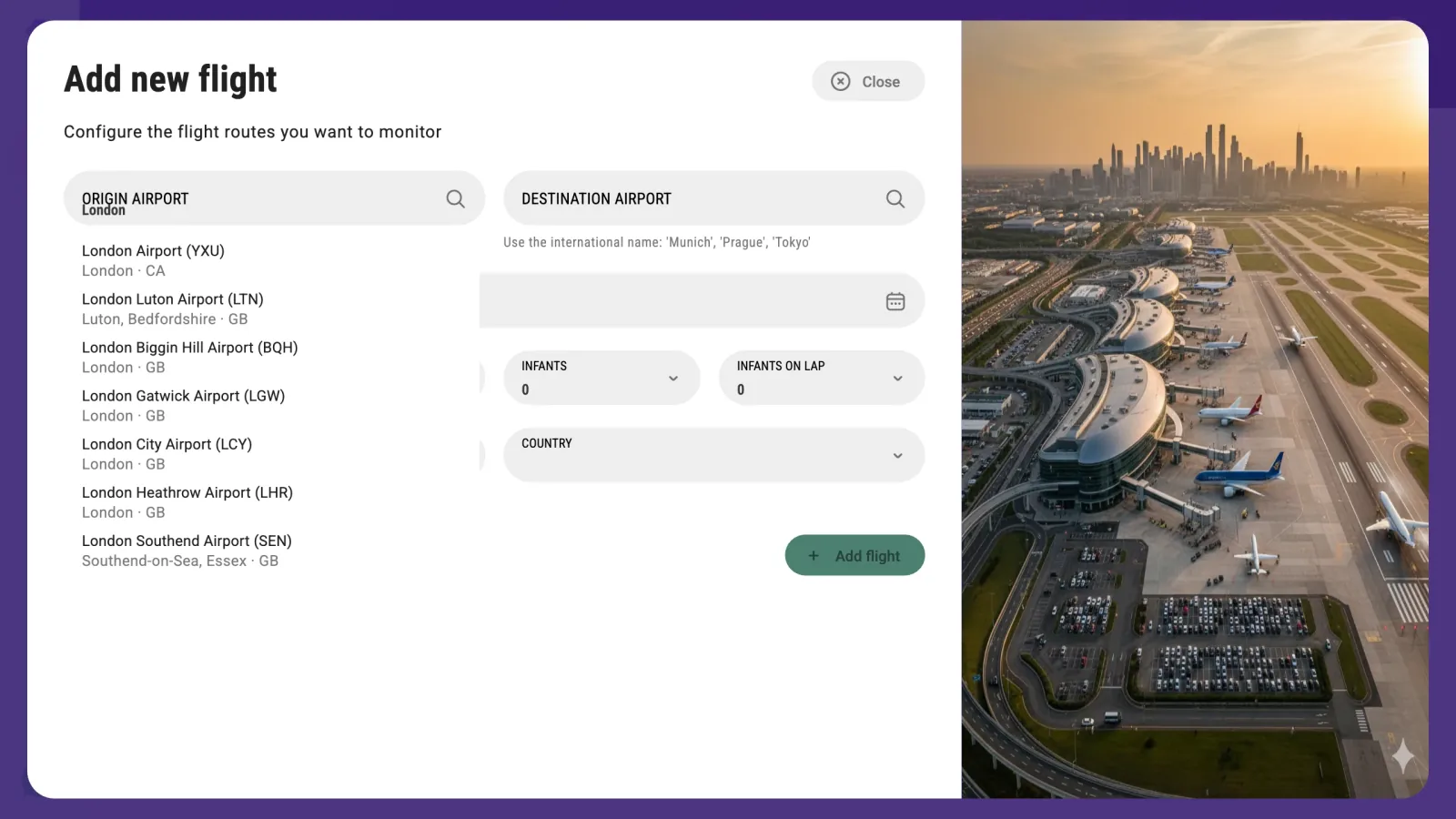
Type a city and you get its airports with their IATA codes. London gives seven — six around London, UK, and one in London, Ontario (YXU) — so read the country before you pick:
Then trip type, dates, passengers, and two fields that are required and easy to miss: LANGUAGE and COUNTRY. They are the point of sale — the market whose prices you want — not the route. Leave one empty and the field turns red with This field is required and Add flight stays disabled.
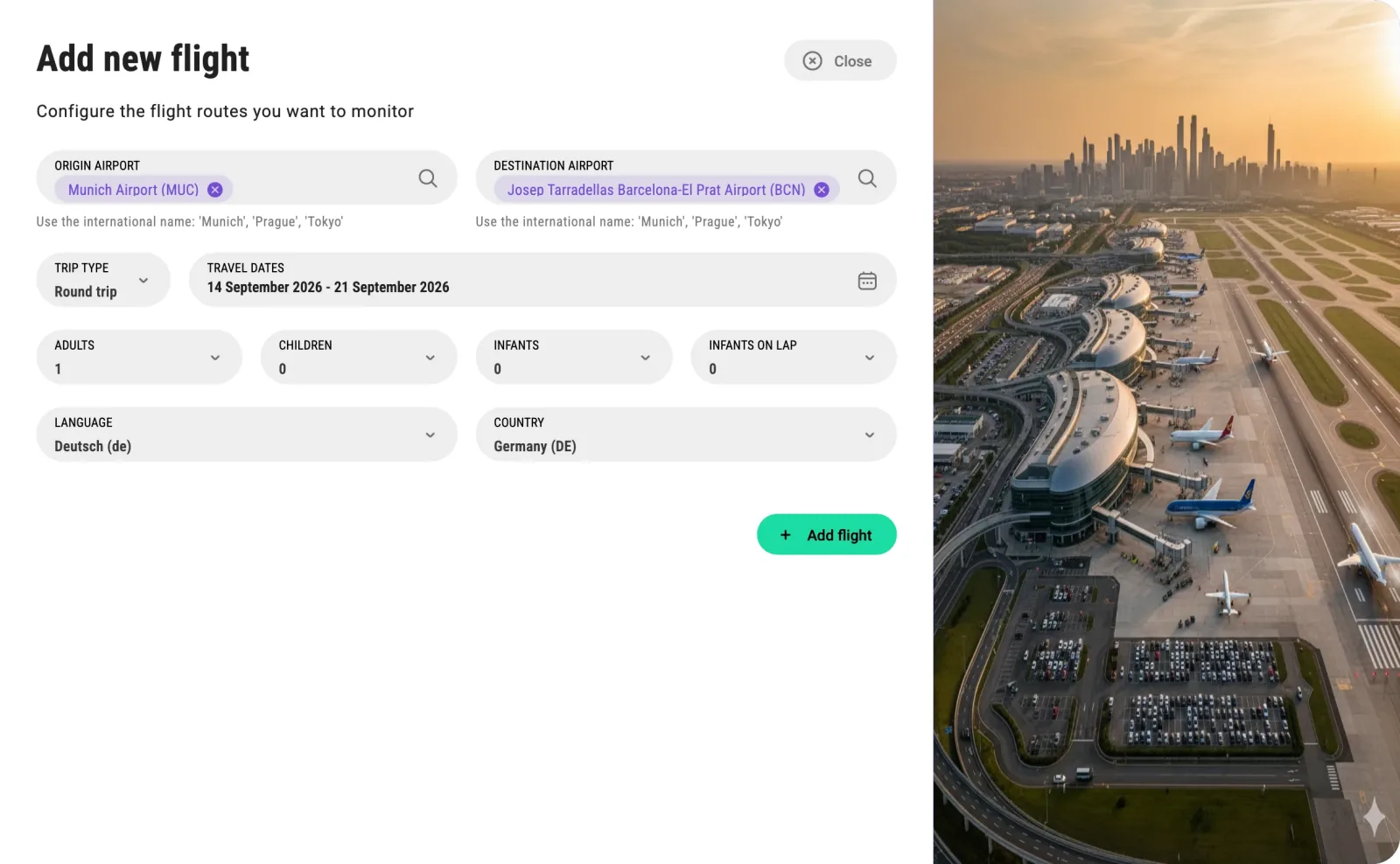
A Round trip needs a date range; One way takes a single date.
The same thing over the API
Every one of the four has a matching account endpoint, but each takes its own body:
| Endpoint | Body |
|---|---|
POST /v3/account/accommodation | booking_url, the Booking listing |
POST /v3/account/location | booking_dest_id and name |
POST /v3/account/location-search | booking_dest_id, name and the filters |
POST /v3/account/flight | origin_airport, destination_airport, departure_date, plus language and country |
A GET on the same paths lists what you have. Locations, location searches and flights answer { data: [...], pagination }. Accommodations answer an object keyed by slug — the slug the data endpoints take — and only with your own active hotels: deactivated ones and competitors are left out, and a hotel without a slug is keyed by its id.
Three things the wizards do for you, and that you do yourself here:
- OTA profiles. Creating a hotel from its Booking URL resolves Booking only. The search for its other profiles is
POST /v3/account/accommodation/{accommodation_id}/otas, billed by what it finds: the share of the OTAs it fills, up to the price of one Real Time request, and nothing if it finds none.force_otas(for example["expedia"]) searches again the ones that already have an id. - The destination id.
booking_dest_idis thebooking_idthatGET /v3/real-time/booking/search/{type}/{name}returns, and that search is a Real Time request. A location takes acity,region,countryordistrict; a location search also takes alandmarkor anairport. Any other type answers error732. Thenameis not compared with Booking's: it is searched on Booking, and the destination id has to come back among the results. Send the name the search returned and it will; a name of your own can miss it and fail with error731. - The point of sale.
languageandcountryare optional here. A flight created without them is saved ases/ES— Spanish fares, without a warning. Send them.
What happens next
Entities on their own don't fetch anything. From here the path forks: a Real Time endpoint will answer about them immediately, one request at a time; a Feed dataset needs an import to have run first, which you set up as a schedule on that API's page. Each row also has activate, deactivate and delete, and the checkboxes give you the same three in bulk — a deactivated entity stops being imported, and what earlier imports wrote stays readable until it ages out (rates, parity, reputation, location search and flight data are kept 15 days; reviews, events and market demand are not deleted).
Questions
Does creating an entity cost credits?
No. Creating, editing, activating and deleting entities are all free, and so are the Booking resolution and the OTA profile search the dashboard runs while you create them. You start paying when you ask for data: a real-time request, or a feed import running over the entity. Over the API two lookups are requests of their own: the OTA profile search for a hotel, and the destination search that gives you a booking_dest_id.
The hotel I want doesn't come up in the search
Use fewer words. The search matches Booking approximately, and long official names ("G.L Monumento", "by Meliá") tend to break the match. If it still won't come up, open the listing on Booking and use the second route, "I have accommodation Booking URL", which takes the URL directly.
Two OTAs came back as Profile Not Found. Is that a problem?
It only means the hotel has no listing there, or that the automatic match wasn't confident enough. Nothing breaks: those OTAs simply have nothing to import, and the reputation and rate feeds will return the ones that were found. Use "Repeat search profiles" to try again, and "View Profile" to check that the ones it did find are the right property.
What is the difference between a location and a location search?
A location is a destination as a whole and feeds the events and holidays datasets. A location search is a destination plus filters — stars, property type, board, occupancy — and feeds the rate and market datasets. If your question is "what is happening in this city", it's a location. If it's "who is on sale here and at what price", it's a location search.
Why does my flight ask for a language and a country?
Because a fare isn't a single number: it depends on where it is being sold. Language and country are the point of sale, and they change the prices you get back. They are about the market you sell in, not about the route. The dashboard requires them; the API does not, and a flight created over the API without them is saved as es / ES, the Spanish point of sale.
Can I create all of this over the API instead?
Yes. Every type has POST, PUT, DELETE and GET under /v3/account. The dashboard is faster for the first few and for anything where you want to see what Booking resolved before committing; the API is what you want for bulk and for keeping your entities in sync with your own system.
Build your own
Start free with 1,000 API credits. No credit card, no sales call.
What do you want to build with hotel details?
Say it in one line and we hand you back the prompt, the recipe if one already exists, and the APIs it runs on — starting with hotel details.
