Run your first real-time call from the playground
Every real-time endpoint works the same way: pick it, fill in what it asks for, run it. The playground does that with your own API key and shows you the exact cURL, Node.js, PHP or Python that produced the answer — so the jump from clicking to integrating is a copy and a paste.
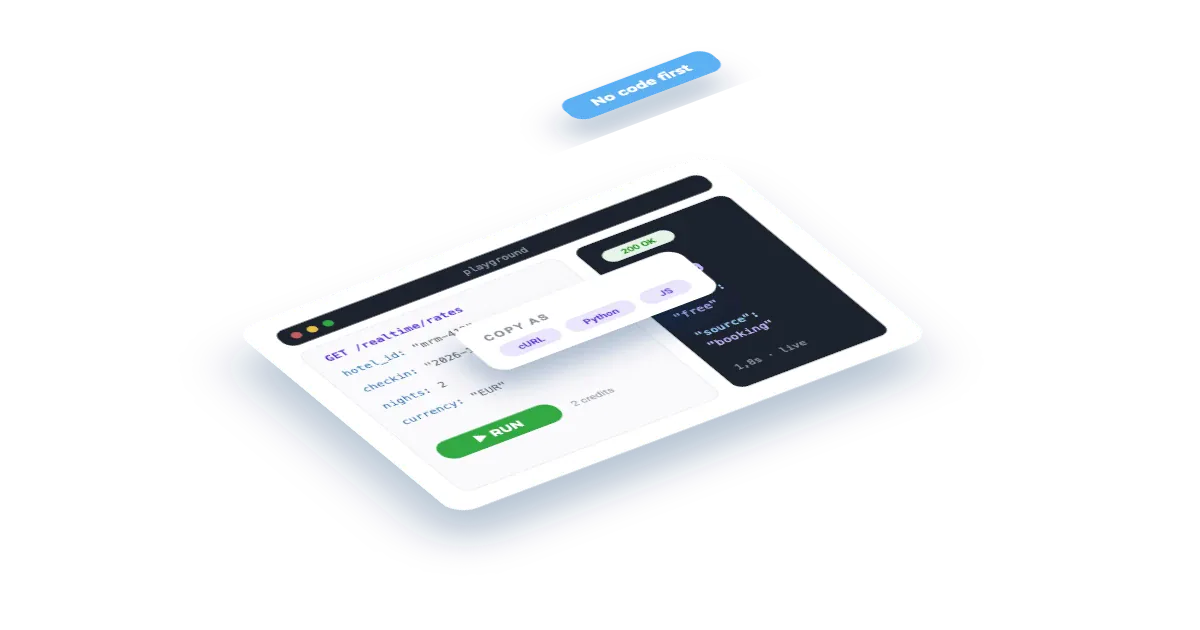
What you'll build
A live rate call to Booking.com for one of your hotels, answered in seconds with room-level pricing, and that very same call running in Postman — plus the map of which other real-time endpoints need an entity and which ones don't.
Set this up first
RequiredThe endpoints don't take free text — they take your identifiers. This recipe assumes the things below already exist on your account; while one of them is missing, the call answers with an error or with less than you expect. Each point links to the recipe that walks it.
- 01
Register the hotel in your dashboard
Veetal resolves the property against Booking.com and assigns it a slug — and that slug, not the hotel name, is what every accommodation endpoint takes.
Guide: Add your hotel and the comp set you price against →
The same thing over the API, if you would rather not click:
curl -X POST "https://api.veetal.app/v3/account/accommodation" \
  -H "veetal-api-key: YOUR_API_KEY" \
  -H "Content-Type: application/json" \
-d '{ ... }' # see the account reference for the bodyHow it works
- 01Pick the API and the endpoint
- 02Fill in what it asks for
- 03Run it and read the answer
- 04Take the same call to Postman
- 05The endpoints that need no entity at all
- 06What happens next
Step by step
By the end you will have run a real request against Booking.com from your browser, read the answer, and have that exact same call working in Postman.
What you need: a Veetal API key and — for this example — a hotel already registered as an accommodation. If you have none yet, jump to the last step: some endpoints need nothing at all.
What it costs: 1.1765 credits for this request. Real-time calls are billed per request; a response served from cache costs nothing.
1. Pick the API and the endpoint
Open Playground. The API dropdown is grouped into Real Time, Feed and Account, and lists every available Veetal API that has endpoints published.
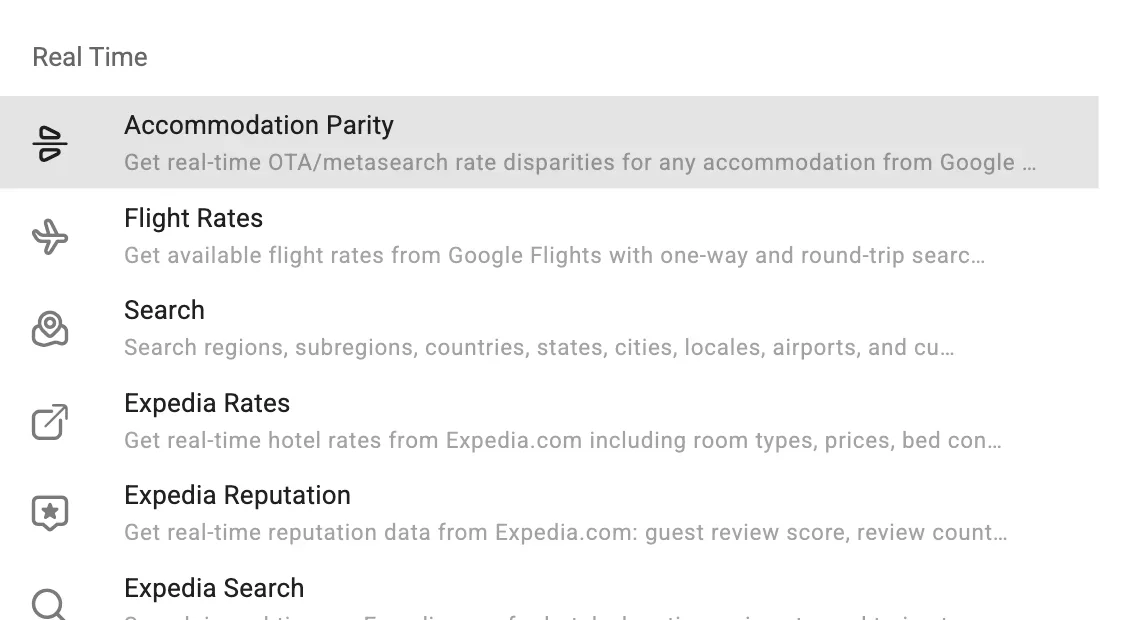
Pick Booking Accommodation Rates. The ENDPOINT selector below fills with that API's endpoints — here, Booking Accommodation Rates (by slug) — and the description of what it returns appears underneath. The clock icon next to it opens the history of your last calls to that endpoint.
2. Fill in what it asks for
The fields are generated from the endpoint definition, so each endpoint asks for exactly what it needs: SLUG, CHECKIN, CHECKOUT and ADULTS for this one. Fields that point to an entity carry a + button that opens the creation dialog without leaving the playground.
Show optional fields reveals the rest — currency, language, meal plan, cancellation. Run request stays disabled until every required field is filled and, on write endpoints, until the JSON body parses.
3. Run it and read the answer
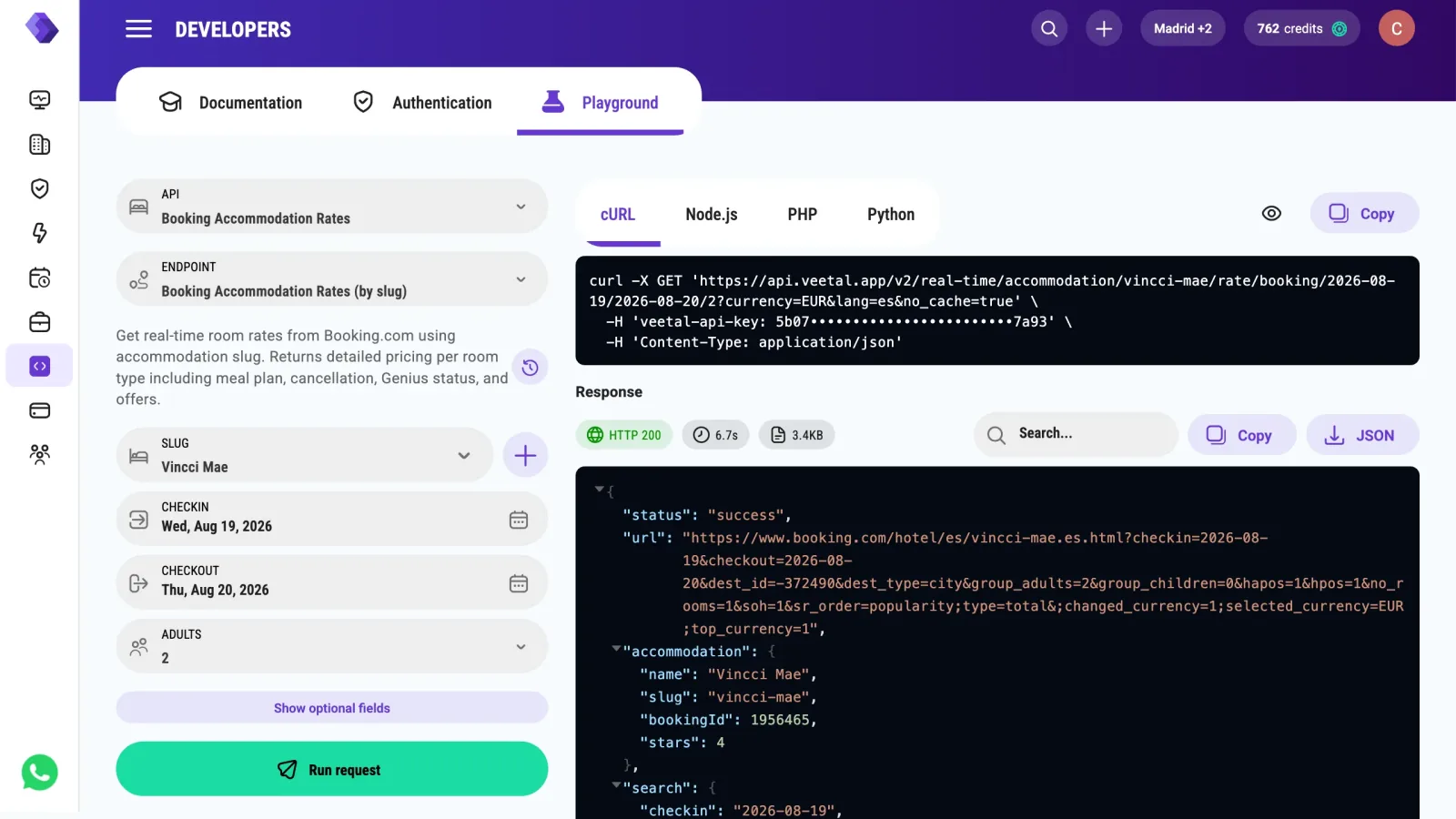
The chips above the response are the truth of what happened: HTTP 200, 3.5s, 9.06KB. Seconds, not milliseconds — Veetal is opening Booking.com for you at that moment, not reading a stored copy. The body arrives as a JSON tree with a search box, a copy button and a JSON download.
The credits chip in the header went from 257 to 258: it shows your usage rounded up, and this call added 1.1765 credits.
4. Take the same call to Postman
The right column is the same request in cURL, Node.js, PHP and Python.
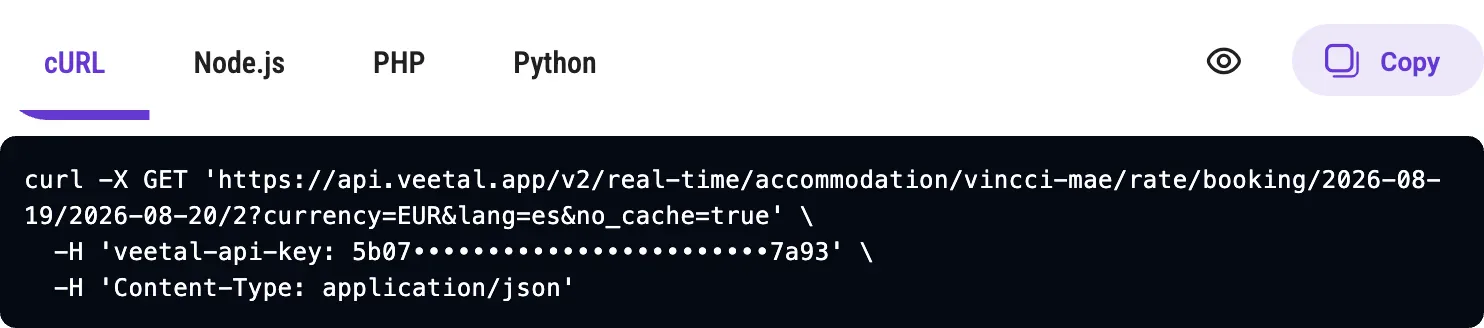
Press Copy, then in Postman use Import → Raw text, paste, and Continue. You get the request with its URL, its query string and the veetal-api-key header already set.
Two things to know about that snippet:
- It carries your real API key. The snippet shows it (it is blanked out in the capture above) and Copy copies the real one. Treat it like a password: don't paste it into a ticket, a screenshot or a shared collection.
- It includes
no_cache=true. The playground sends it by default (Skip cache, under Show optional fields) so you see live data. Drop it in your own integration and, if the API has cache retention set on your account, a matching answer from within that window is reused — faster, and it costs nothing.
5. The endpoints that need no entity at all
Not every real-time call needs something registered first:
- Flight rates —
GET /v3/real-time/flight/rate/airport/{origin}/{destination}/{departure_date}takes two IATA codes and a date. Nothing to create. - Search — the catalog endpoints resolve regions, countries, cities, airports and currencies, and are free.
- Booking search —
GET /v3/real-time/booking/search/{type}/{name}finds a hotel by name and hands you the identifiers the other endpoints want.
And the ones that do take an accommodation follow the same shape as this recipe: /reputation/booking, /reviews/booking, /availability/booking/{from}/{to}/{adults}, /parity/{checkin}/{checkout}/{adults}.
What happens next
Every call you make is kept. Open the API from the sidebar and its Requests tab shows the daily and hourly chart plus the table of requests: status, main parameters, duration, result, and whether it came from cache. From there you can load any of them back into the request card and run it again — which bills again, since Skip cache is on by default.
Questions
Why does a real-time call take seconds instead of milliseconds?
Because there is no stored copy to read. When you run it, Veetal requests the OTA page through its own network, gets past its defences and parses it, all within your request. The 3.5 seconds in this recipe are that work. If you need an instant answer for a page load, use a Feed dataset — the equivalent data, written by a scheduled import, served from your account.
Does repeating a request charge me twice?
Only if it actually goes out again. If the API has cache retention set on your account, an identical request inside that window is answered from cache and costs nothing. The playground sends no_cache=true by default (the Skip cache option) so you see live data, so each run from the playground is a real, billed call unless you set Skip cache to No. Remove the parameter in your own integration.
Where is my API key, and why does the playground not ask for it?
The playground executes with the key of the account you are logged into, so there is no key field. You will find it, and the button to regenerate it, under Developers, Authentication. If you see "Current account does not have a valid API key", the account you switched into has none — switch back or generate one.
Can I call a real-time endpoint without registering anything first?
Yes. Flight rates take two airport codes, the catalog search endpoints resolve geography and currencies for free, and Booking search finds a hotel by name. Rates, availability, reputation, reviews and parity also accept the OTA identifiers directly (a Booking.com entity or ID, or a Google Hotels entity code) instead of the slug of one of your accommodations, so you can call them without registering anything.
The response came back with an error code. Where do I look?
The HTTP chip turns red and the body explains it. Validation errors come back as HTTP 400 with error, message and code: for this endpoint, 228 means the slug was not found, 570 that the accommodation has no Booking.com data, codes in the 400s point to dates or guests, and 611 or 612 to meal_plan or cancellation. If Booking.com could not be read at that moment you get an HTTP 503 with status error and a message, which is worth retrying before treating it as a bug. Errors are not billed. The API's Requests tab lists the same call with its status.
Build your own
Start free with 1,000 API credits. No credit card, no sales call.
What do you want to build with hotel rates?
Say it in one line and we hand you back the prompt, the recipe if one already exists, and the APIs it runs on — starting with hotel rates.
