Track the whole hotel market of a destination
The rate endpoints answer about one property. This one answers about the market: who else is on sale tonight, at what price, and where you fall in that distribution. Set up the location search, launch the import, read the whole plaza in one call.
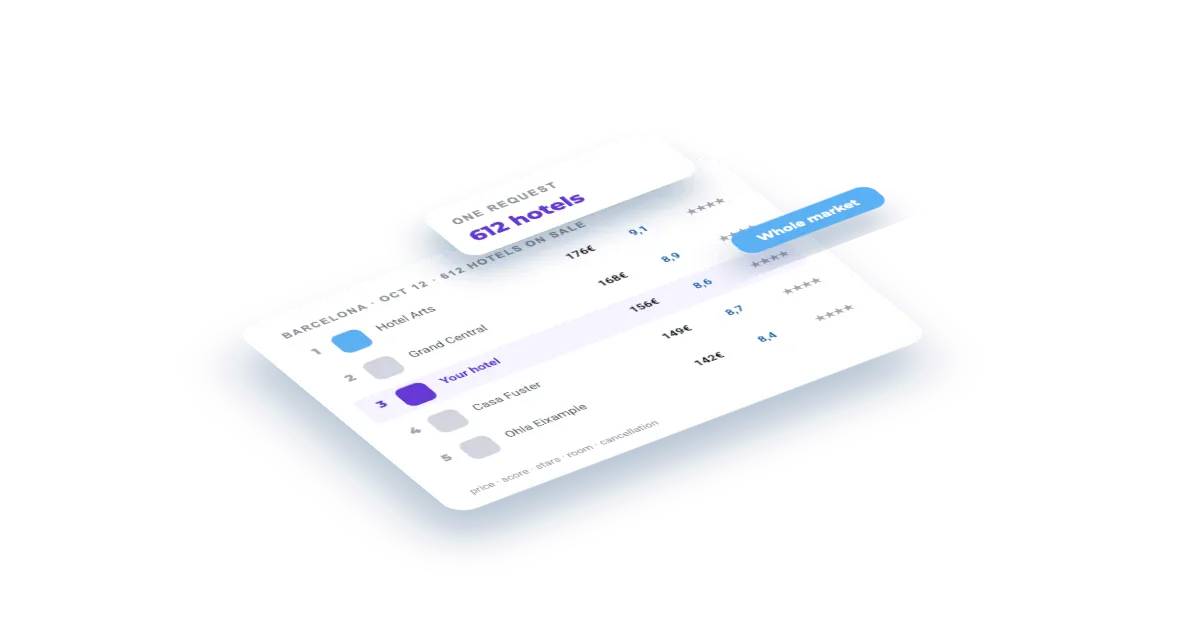
What you'll build
A daily snapshot of a whole destination: every hotel that matches your filters, with price, discount, board, cancellation, score, review count, stars and distance — and the schedule that turns it into a historical series.
Set this up first
RequiredThe endpoints don't take free text — they take your identifiers. This recipe assumes the things below already exist on your account; while one of them is missing, the call answers with an error or with less than you expect. Each point links to the recipe that walks it.
- 01
Create the location search
A destination plus its filters — stars, board, distance, occupancy. Those filters are the entity: they decide which hotels the market covers and what every run costs.
Guide: Register the four entity types on your account →
The same thing over the API, if you would rather not click:
curl -X POST "https://api.veetal.app/v3/account/location-search" \
  -H "veetal-api-key: YOUR_API_KEY" \
  -H "Content-Type: application/json" \
-d '{ ... }' # see the account reference for the bodyHow it works
- 01Why this and not a hotel-by-hotel loop
- 02Point the feed at your location search
- 03Launch the import and read the estimate first
- 04Read the market
- 05Make it a series
- 06What happens next
Step by step
By the end you will have one request that returns every hotel on sale in a destination for a given night — price, score, stars, room type, cancellation policy and distance to centre — instead of asking hotel by hotel.
What you need: a location search on your account (the destination plus its filters) and the Booking Location Search feed active.
What it costs: the run I document here was 0.32 credits and brought back 192 hotels. The dialog estimates it before you launch.
Why this and not a hotel-by-hotel loop
The rate endpoints answer about one property. That is the right tool when you know who your competitors are. It is the wrong tool when the question is the market itself: who else is on sale tonight, at what price, and where you fall in that distribution.
This feed answers that in one call. The unit is the location search you created — a destination plus the filters that decide who counts as your market — and one run covers the whole set.
1. Point the feed at your location search
Open Feed · Booking Location Search. The page opens on Location searches, the entities this API works on, and your location search should be listed. If it isn't, add it here.
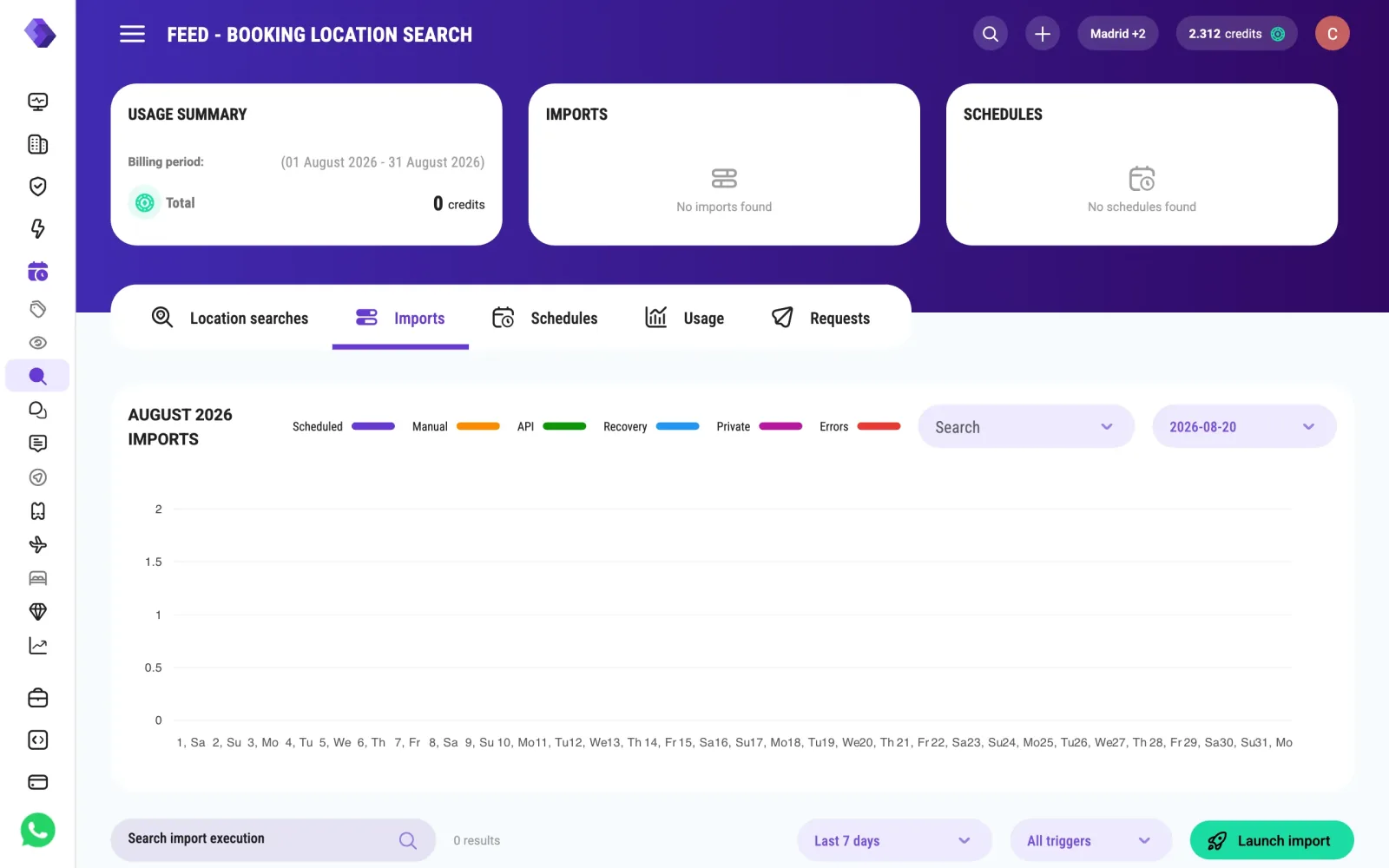
The three cards at the top are the ones you will come back to: USAGE SUMMARY (what this API has cost this billing period), IMPORTS (last and next run) and SCHEDULES.
2. Launch the import and read the estimate first
The Imports tab, then Launch import. This dialog is where the money is decided:
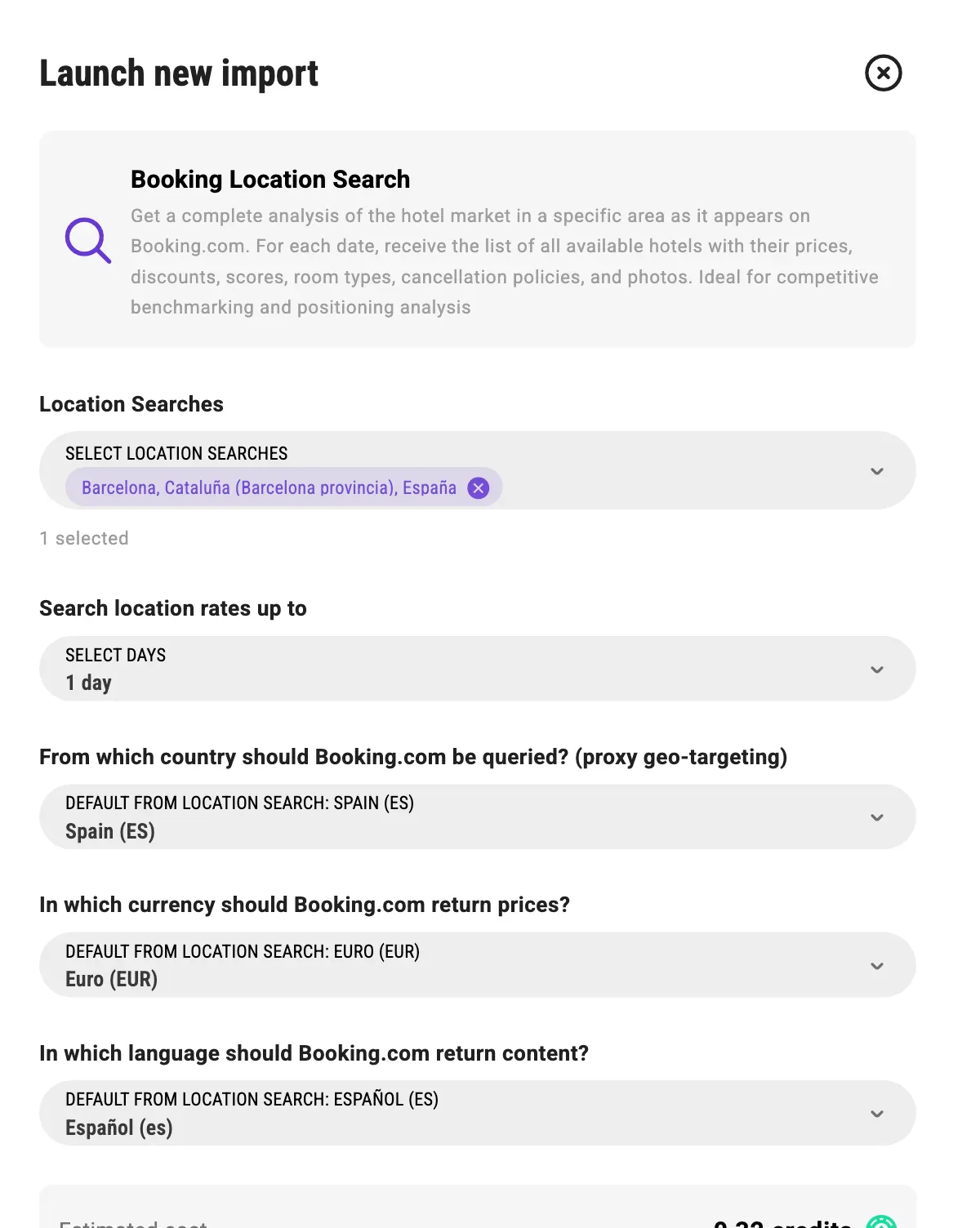
- Location Searches — which of your searches to run. Each one costs.
- Search location rates up to — how many nights forward. One day is one night's snapshot; thirty days is thirty times the work.
- From which country should Booking.com be queried? — proxy geo-targeting. Booking shows different prices to different markets, and this is what makes the answer match what your customer sees.
- Currency and language — they default to what the location search already declares.
At the bottom, Estimated cost. Read it before you press. For one destination and one night it said 0.32 credits, and 0.32 is exactly what it charged.
Launch import, and the row appears in the list with its identifier, trigger, status and credits:
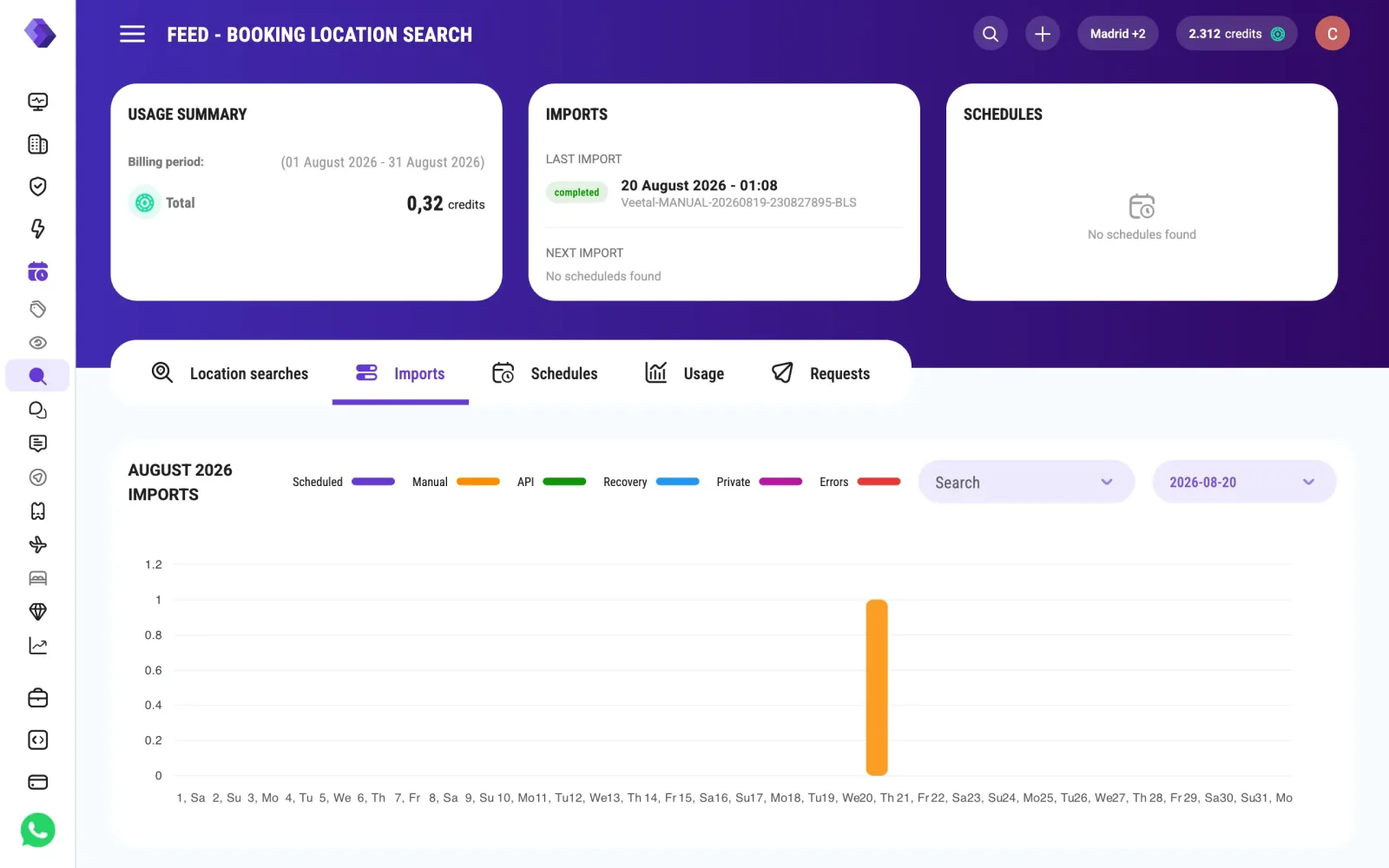
⚠️ The import writes nights from the UTC day it runs on, one per day you chose. Launch it at 01:08 Madrid time (23:08 UTC) and the first night is yesterday's date, which matters because the endpoint asks for a target date and the playground won't let you pick one in the past.
3. Read the market
The Requests tab, Run request. The target date defaults to today; pick one of the nights the import wrote:
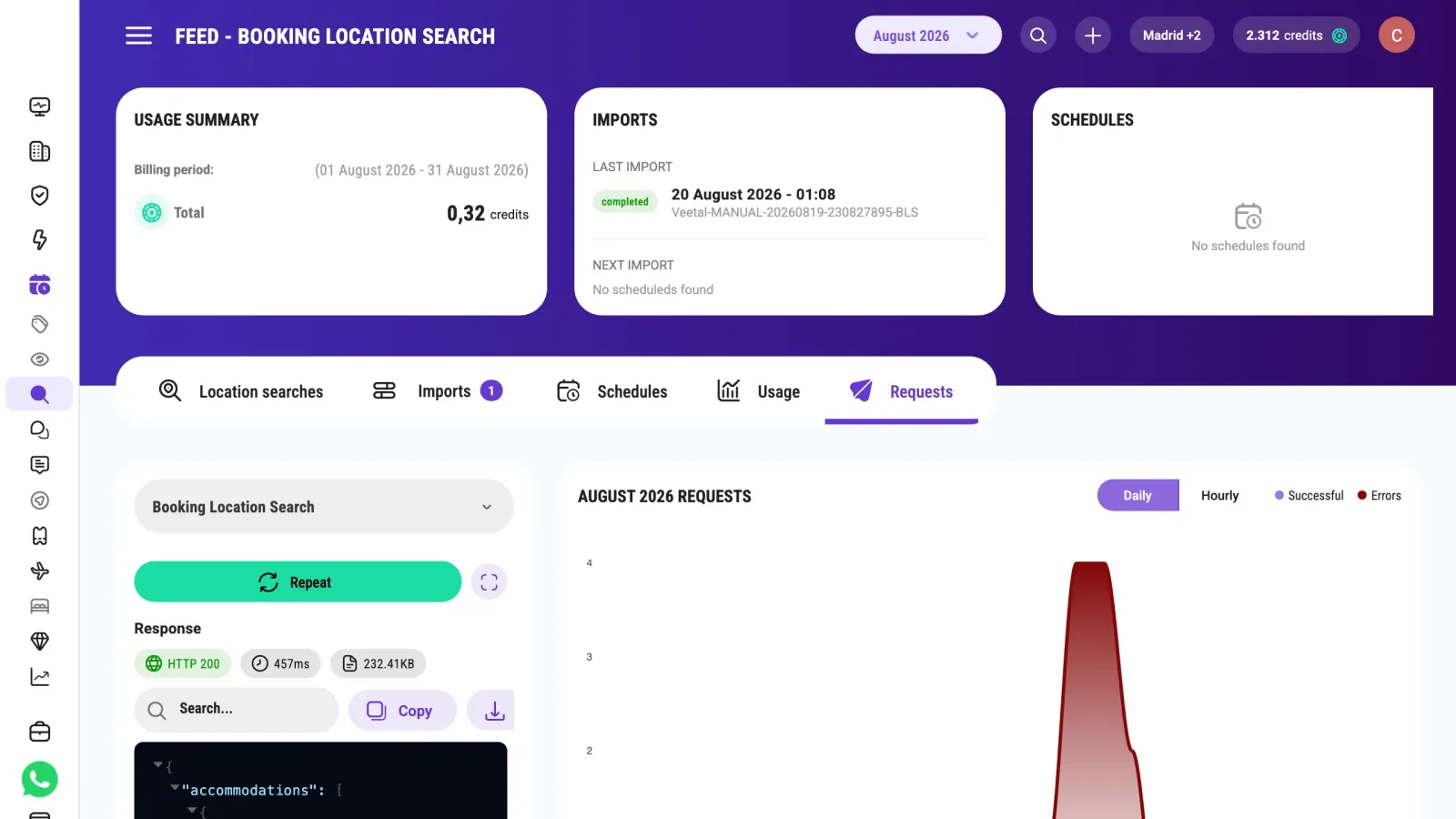
HTTP 200, 457 ms, 232 KB — 192 hotels in one response. Booking returns at most 1,000 properties per search and night; coverage.truncated tells you when a big destination was cut. The answer looks like this:
{
  "coverage": [{ "target_date": "2026-08-20", "total_booking": 192, "returned": 192, "max_per_search": 1000, "truncated": false, "failed_pages": [] }],
  "accommodations": [
    {
      "booking_id": 123456,
      "name": "Hotel Example",
      "slug": "hotel-example",
      "accommodation_type": "hotel",
      "price_original": 138.48,
      "price_discount": 0,
      "price_final": 138.48,
      "display_price": 138,
      "currency": "EUR",
      "room_type": "Double Room",
      "breakfast_included": false,
      "meal_plan": { "included": false, "type": null, "text": null },
      "free_cancellation": true,
      "review_score": 8.6,
      "review_count": 1842,
      "star_rating": 4,
      "stars": 4,
      "distance_to_center": 2100,
      "is_closed": false,
      "location_details": { "address": "…", "city": "…", "latitude": 41.38, "longitude": 2.17 },
      "photos": { "low_resolution": "https://…", "high_resolution": "https://…" },
      "target_date": "2026-08-20T00:00:00.000Z"
    }
  ],
  "pagination": { "page": 1, "limit": 1000, "total": 192, "total_pages": 1, "has_more": false }
}
Each hotel carries price (price_original, price_discount, price_final), room_type, board (breakfast_included, meal_plan), free_cancellation, review_score, review_count, stars, distance_to_center (in metres, or "Distance not available" for district destinations) and photos, plus location_details with coordinates. Next to the list come coverage (how many hotels Booking had and whether its 1,000-per-search cap cut the list) and pagination (1,000 per page by default, up to 2,000 with limit).
Note what is not in there: a ranking position. The list comes sorted by price_final, cheapest first, and any other ranking is something you compute — by score, by score-per-euro, by distance. That is the point: you get the distribution, and you decide what "position" means for you.
On this run: 192 hotels, cheapest €138.48, median €252.48, most expensive €1,526.40. Your own hotel is one row in there, and now you know exactly which percentile it sits in.
4. Make it a series
One run is a snapshot. The value is the curve, so put it on a schedule: the Schedules tab, pick the location search, choose daily, and the estimator shows the estimated monthly cost before you save.
From then on each run adds a new snapshot. By default the endpoint reads the latest import; to read an earlier one pass ?import_date=YYYY-MM-DD (the day the import ran) or ?import_id= with its import_execution_identifier from GET /v3/account/imports. Booking location search data is kept for 15 days, so store each day's answer on your side if you want a longer curve: how the market's median moved, when the compset dropped prices, whether an event pushed the whole distribution up.
What happens next
The same location search can also drive the Market Demand dataset — a separate import and API, read at GET /v3/feed/location-search/{id}/demand — and the real-time twin of this endpoint, GET /v3/real-time/location-search/{id}/booking/{date}, answers the same question live, without an import and billed per request, when you need one destination right now instead of a history.
Questions
Why does the endpoint answer 404 when the import ran fine?
Because the import the endpoint is reading has no data for that night. Without parameters it reads only the latest import, so a night written by an earlier import needs import_date (the day that import ran) or import_id. Data is also deleted 15 days after the import, even though the import still shows in the Imports tab. Either way you get 404 with code 510, NoDataFoundForRequestedDate.
How much does a whole destination cost?
It depends on how many nights you ask for and how many location searches you run, not on how many hotels come back. One destination for one night was 0.32 credits and returned 192 hotels. The import dialog estimates the exact figure before you launch, and the schedule estimator shows the monthly equivalent.
Can I control which hotels are included?
That is what the filters on the location search are for: stars, property type, board, minimum score, distance to centre, occupancy. Change them and you change your market, not the price: the cost depends only on how many location searches and nights you run. If you need two different views of the same city, create two location searches.
Does the response tell me my position in the ranking?
Not as a field. You get every hotel with its price, score, stars and distance, and you compute the position that matters to you. Ranking by price is not the same as ranking by score or by value, and which one counts depends on your strategy.
Feed or real time?
Use the feed when you want a daily series: a schedule writes one snapshot a day, you read earlier ones with import_date or import_id, and the data is kept 15 days, so store what you need. Use the real-time twin, GET /v3/real-time/location-search/{id}/booking/{date}, when you need one destination right now; it is billed per request.
Build your own
Start free with 1,000 API credits. No credit card, no sales call.
What do you want to build with booking location listing?
Say it in one line and we hand you back the prompt, the recipe if one already exists, and the APIs it runs on — starting with booking location listing.
