Reputation Pulse
Reputation moves rate power. This recipe reads the guest score, the review count and the category breakdown of your hotel and every competitor in your set, on each OTA the import covered — Booking.com, TripAdvisor and Google by default, plus Expedia and Hotels.com when you ask for them. Every entry says which OTA it comes from.
What you'll build
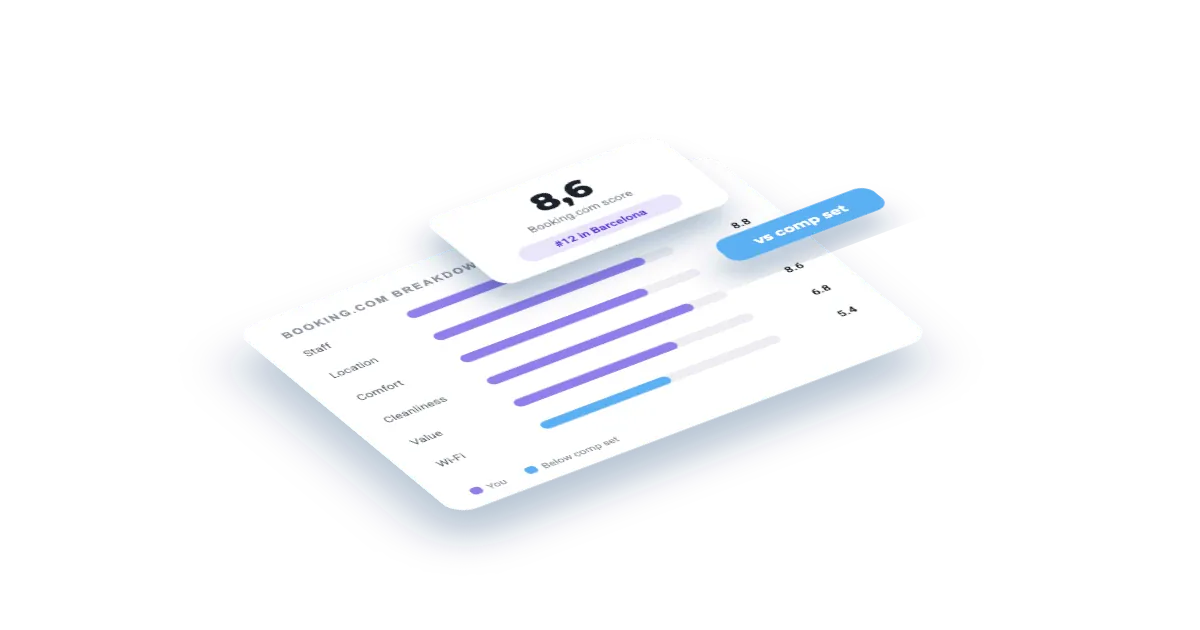
A reputation scorecard: your hotel next to its comp set, category by category and OTA by OTA, with the categories where you lead or trail called out and review counts for context.
Set this up first
RequiredThe endpoints don't take free text — they take your identifiers. This recipe assumes the things below already exist on your account; while one of them is missing, the call answers with an error or with less than you expect. Each point links to the recipe that walks it.
- 01
Register the hotel in your dashboard
Veetal resolves the property against Booking.com and assigns it a slug — and that slug, not the hotel name, is what every accommodation endpoint takes.
Guide: Add your hotel and the comp set you price against → - 02
Fill in its comp set
Up to ten competitors on the accommodation detail. Without them this recipe prints your own price list instead of a comparison, and the competitors block comes back empty.
- 03
Run one import on the hotel
A Feed dataset only contains what an import has written. Activate this API on the hotel, launch the first run by hand and read the credit estimate before you press — the cost grows with the comp set and, on multi-OTA datasets, with the OTAs too.
Guide: Import a hotel's reputation from Booking →
To see whether an import has already finished, list them:
curl "https://api.veetal.app/v3/account/imports" \
  -H "veetal-api-key: YOUR_API_KEY"
Feed reads are not billed per request. The credits go on the imports that collect the data, which is why the estimate appears before you launch and not after.
How it works
- 01
Get your API key
Create your account and copy your key. Start free with 1,000 API credits.
- 02
Pick your hotel
List the accommodations on your account and copy the slug of the hotel you want to score.
- 03
Read the breakdown
One call returns the score, the rating categories and the total reviews for your hotel and each competitor, on every OTA of your latest import.
The call
One request returns the score, the review count and the category breakdown for your hotel and each competitor, on every OTA of the latest import. Swap in your hotel slug and your key. Add `?provider=booking` to narrow it to a single OTA.
curl "https://api.veetal.app/v2/feed/accommodation/YOUR_HOTEL_SLUG/reputation" \
  -H "veetal-api-key: YOUR_API_KEY"
Build it with AI
Connect the MCP →Paste this prompt into an assistant with the Veetal MCP connected and it builds the whole app against your data — no front-end work.
Use my Veetal Connect data to build a reputation scorecard for my hotel
against the hotels I compete with.

I want to know where my guest scores beat the set and where they drag, by
category and by OTA, and how that lines up with review volume. Work out what
data you need and fetch it.

Build it as a single self-contained HTML page, plain HTML and CSS:

- A table with one row per property and one column per rating category, one
  block per OTA.
- My hotel pinned to the top and visually separated.
- Colour each cell by whether it is above or below the set average for that
  category, so my weak spots are obvious.
- A short summary: my strongest category, my weakest, and the OTA where I
  stand worst against the set.
- Show total reviews next to each property — a high score on few reviews is
  not the same signal as a high score on thousands.
- Google reports topics guests mention with a sentiment instead of category
  scores: show those as their own block, not mixed into the category table.
- Leave anything the data does not carry visibly blank.

Clean and readable, works in light and dark.
Questions
Which OTAs does it cover?
Every OTA the import consulted. A default import covers Booking.com, TripAdvisor and Google; Expedia and Hotels.com come in when you ask for them. Each entry carries the OTA it comes from, and `?provider=` narrows the response to one.
Which categories are returned?
The categories each OTA publishes — cleanliness, comfort, location, staff, value and so on. Google is the exception: it does not score categories, it counts how many reviews mention each topic and how positive those mentions are, so a Google entry brings `topics` with its sentiment instead of `category_score`.
Does it include the review text?
No. This endpoint returns the scores. For the individual reviews and their content, use the reviews endpoint of the same accommodation.
Does it cover my competitors too?
Yes. One call returns your accommodation and each competitor in your configured set, which is what makes the comparison possible.
How often does it change?
Ratings move slowly, so this is stored data refreshed on your account schedule rather than fetched live on every request. Each import leaves a snapshot: pass `import_id` or `import_date` to read an older one and build the history of a score.
Build your own
Start free with 1,000 API credits. No credit card, no sales call.
What do you want to build with rating?
Say it in one line and we hand you back the prompt, the recipe if one already exists, and the APIs it runs on — starting with rating.
